

One of the questions I receive most often is:
Luis, what Arduino kit do you recommend for getting started?”
And my answer usually surprises people: there is no single perfect Kit for everyone. There are a huge number of components and what might be interesting for one person, might not be for another.
My philosophy is different: choose your own kit. For about €20-25 you can buy the components individually on AliExpress or eBay and you’ll have much better and more reality-adapted material.
Here is my ideal shopping list for someone who wants to really learn without wasting money.
All prices listed are from international sellers on eBay or AliExpress. There are no purchase links. I am not advertising or selling anything. Search on these sites and sort by number of sales.
Arduino UNO (or compatible)
To start, don’t complicate things. The standard is still the Arduino UNO R3.
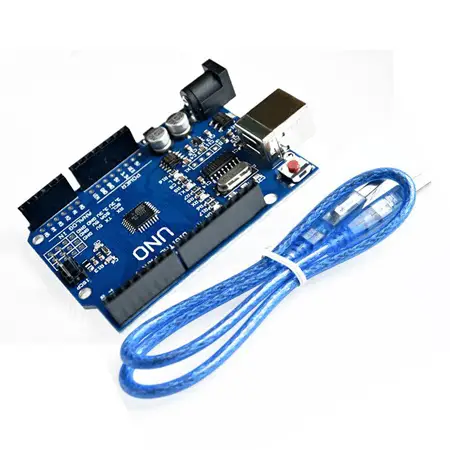
It’s robust, easy to connect, and it’s the one featured in all tutorials. You can find compatible clones with the CH340 chip for about €4-5.
Basic Components
The next step is to get basic electronic components. We can find very cheap kits with the necessary components for about €2.0.
On the other hand, we will need a breadboard, a “board with holes” that are internally electrically connected, used for making connections quickly and we can reuse the board. The majority of the assemblies we make will be on breadboards.
We will also need dupont connector cables, which are rectangular terminals that are the right size to connect easily to Arduino, modules, and breadboards.
Other common components will be resistors of different values, a few colored LEDs, and some pushbuttons. In the long run, LEDs and pushbuttons are not as useful as they seem. But they are common components in initial assemblies, so it’s normal to include them in a beginner’s kit.
But… that’s a lot of things! Well, don’t worry, it’s not as much as it seems because you’re going to buy them in a kit that contains a breadboard, a few dupont cables, resistors, LEDs, and pushbuttons.
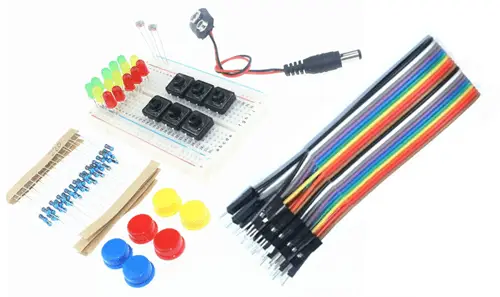 Look carefully at the image and look for a Kit that is similar, and doesn’t have many more, nor fewer components.
Sensor Kit
Regarding sensors, there are some very interesting Kits that include 37 types of sensors for about €10. This includes temperature, light, magnetic, humidity sensors, flame detectors, infrared receivers.
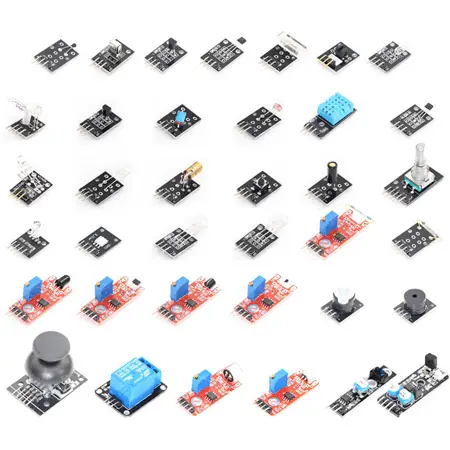
In addition to sensors, they may include a pushbutton, a rotary encoder, a joystick, and a touchless sensor. Finally, also worth mentioning is a relay module to control loads up to 220V.
Other Components for our Kit
With what we’ve seen so far, for about €15 we have covered most of the needs to get started with Arduino and needless to say, we have components to play with until we get tired.
However, there are other components that deserve special mention because I consider them especially interesting. Here’s a small collection.
Although I remind you that it’s not mandatory to buy all of them, nor all at once.
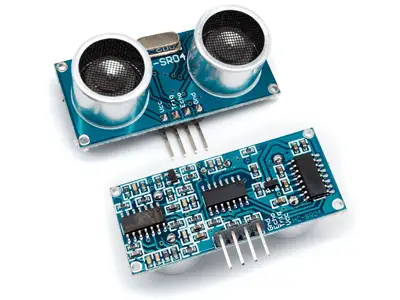
HC-SR04 Ultrasonic Sensor
It’s an HC-SR04 ultrasonic sensor used to measure distances (approximately).
It’s not the most useful sensor in the world either, but many robots use it to detect obstacles, and it’s quite common in tutorials. We can find it for about €0.65.
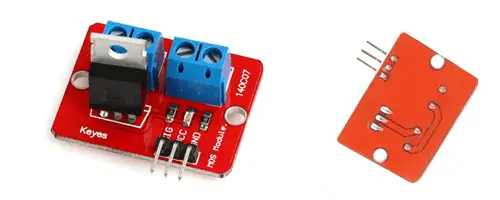
IRF520N Transistor Output Stage
It’s a digital output amplification stage using an IRF520N MOSFET transistor, which we will use to connect DC loads up to 24V DC and a maximum of 1A.
It’s useful if you plan to control devices at these voltages (for example, a fan, an electromagnet). We can find it for about €0.60
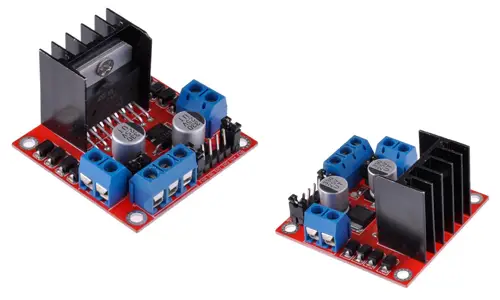
L298N DC Motor Controller
The L298N is a controller that allows you to control two DC motors. We can vary the speed and direction of rotation of both motors.
It’s a very common component in small wheeled robots, in fact, we will often see it in projects on the blog. We can find it for €1.30
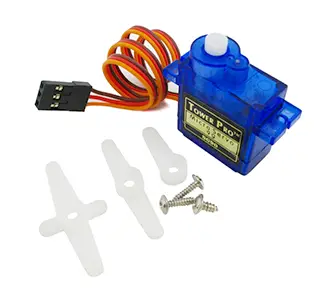
S90G Servo
Servos are a special type of motor that, instead of rotating continuously, position themselves at the angle we indicate. They are widely used in all types of robots, from turrets, robotic arms, to complex robots like hexapods or bipedal robots.
The S90G is a small servo motor costing €1.20, which will serve us perfectly to learn how to use servos in our projects.
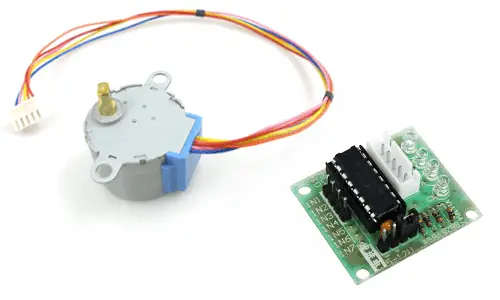
28BYJ-48 Stepper Motor + ULN2003
Stepper motors are another type of motor that also don’t rotate continuously. Instead, they need a signal from a processor, and with each impulse the motor advances an angle (or step).
The 28BYJ-48 is a small stepper motor that will serve us to get started in its use and control. The ULN2003 is a simple driver. We can find a kit with the 28BYJ-48 motor + ULN2003 for €1.60
I2C LCD Display or Nokia 5110
Many projects incorporate some type of display. Personally, I don’t like them too much, I find it more interesting to collect information and display it on the computer. But the truth is that they are components you will frequently find in tutorials on the Internet.
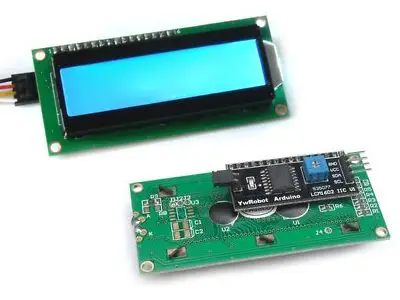
The most common displays are the HITACHI HD44780 LCD with I2C controller, which we can find for €1.70.
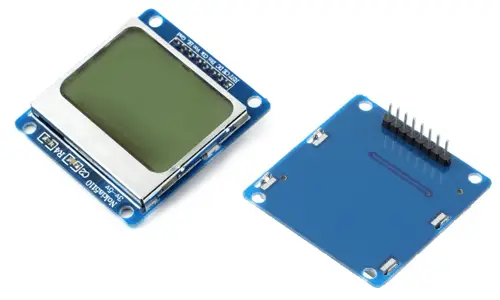
A good alternative, not as well known but superior in features, is the Nokia 5110 display, which we can find for a similar price of €1.80.
MPU6050 Accelerometer
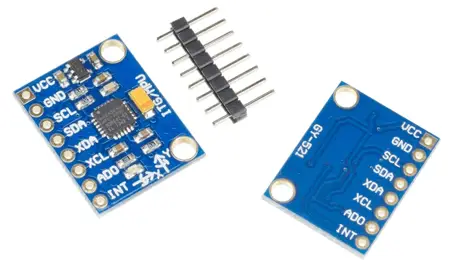
The MPU6050 is a 6 DOF IMU that incorporates an accelerometer and a gyroscope. It allows detecting accelerations and calculating the sensor’s orientation.
This little technological marvel costs €1.25, and for me it’s one of the essentials because it enables a lot of advanced projects, such as robot guidance and orientation, controlling a PC with Arduino movement, platform stabilization, among many, many others.
Conclusion
Putting together a starter kit to begin with Arduino is quite cheap. Even when we tackle complex projects, we’ll see that most projects, except the most advanced ones, are also cheap.
If you do the math, you’ll see the numbers are very favorable:
| Component | Approx. Price |
|---|---|
| Arduino UNO (Clone) | €5.00 |
| Breadboard + Cables | €3.00 |
| 37 Sensor Kit | €12.00 |
| Servo + OLED + HC-SR04 | €5.00 |
| TOTAL | ~€25.00 |
Buy this and don’t buy anything else until you have a specific project in mind.
It’s very easy to fall into electronic hoarding syndrome and fill drawers with components that “maybe I’ll use someday.” Buying more doesn’t mean learning more
From here, my advice is to start doing specific projects, and acquire the rest of the components as we need them (and only if we need them, or you’ll end up throwing money away).
