
CleanArchitecture is a series of templates developed by Jason Taylor that facilitates the implementation of Clean Architecture in .NET applications.
Clean Architecture is a software architecture style that emphasizes separation of concerns and independence of system layers.
The architecture focuses on two main layers: Domain and Application, collectively known as the Core of the system.
Principles of Clean Architecture
- Framework Independence: The system does not depend on any specific framework.
- Testability: The absence of external dependencies in the Core facilitates automated testing.
- UI Independence: The logic is separated from the UI, allowing easy changes to frontend technologies.
- Database Independence: Data access logic is decoupled, facilitating migration between different database technologies.
- Independence from anything external: The Core is completely isolated from the outside world, ensuring its longevity and flexibility.
CleanArchitecture provides an organized structure for .NET application development, promoting separation of concerns and scalability.
Obviously, it is not a project template for ALL projects. In fact, in itself, it’s a bit overkill, both for large and small programs.

But it is interesting to get ideas, especially if you are starting out. Or in general, to get ideas on how to make functional applications (although not necessarily the easiest or most practical way).
For more details and examples, visit the CleanArchitecture repository on GitHub and explore how this library can help you implement a clean architecture in your .NET projects.
Installation and Configuration
To start using the CleanArchitecture templates in a .NET project, follow these steps for installation and configuration:
dotnet new install Clean.Architecture.Solution.Template
Now we use one of the templates to create a project. For example,
dotnet new ca-sln -cf React -o YourProjectName
Finally, we run the project with,
dotnet run
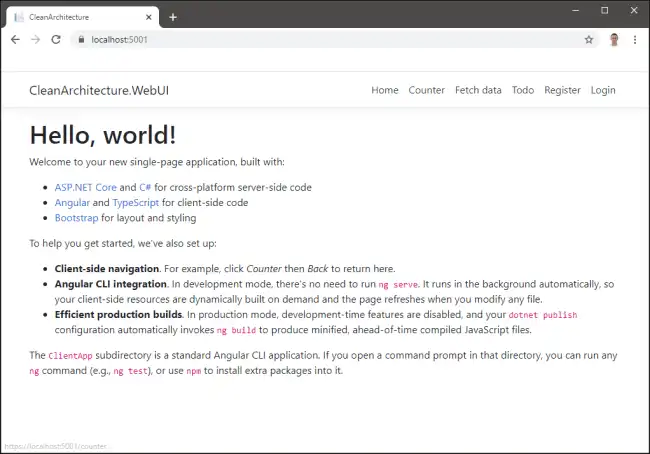
That’s how easy it is to have everything configured and ready to start,
Solution Structure
The template generates a multi-project solution with the following structure:
src/ ├── YourProjectName.Domain ├── YourProjectName.Application ├── YourProjectName.Infrastructure └── YourProjectName.WebUI tests/ └── YourProjectName.Tests
- Core: Contains the domain logic and types, such as entities, enums, exceptions, and interfaces. It has no external dependencies.
- Application: Contains the business logic and uses CQRS (Command Query Responsibility Segregation). It defines interfaces that are implemented in external layers. It depends on the Domain project.
- Infrastructure: Implements classes for accessing external resources, such as file systems and web services, based on interfaces defined in Application.
- WebUI: This is the presentation layer, a SPA (Single Page Application) based on Angular and ASP.NET Core. It depends on the Application and Infrastructure projects.
Technologies Used
In addition to .NET, the solution uses the following technologies:
- CQRS with MediatR
- Validation with FluentValidation
- Object mapping with AutoMapper
- Data access with Entity Framework Core
- Web API using ASP.NET Core
- UI using Angular 8
- Open API with NSwag
- Security using ASP.NET Core Identity + IdentityServer
- Automated testing with xUnit.net, Moq and Shouldly
