

We continue with the entries on the ESP8266 and ESP32 by looking at the widely heard, loved, and sometimes poorly understood WebSockets.
We will refer to the ESP8266, but the same code is compatible with the ESP32, adjusting the library names. At the end, you have the code for both the ESP8266 and the ESP32.
In the latest entries of this series of tutorials dedicated to the ESP8266, we have seen how to communicate a webpage with the ESP8266 as a backend. We started by looking at web forms as a simple way. But we have already said that they are an outdated mechanism that forces the client to refresh the webpage when sending information.
In the previous entry, we saw a much more convenient way with Ajax requests. Ajax requests allow processing a request to the server without reloading the page. But they have the disadvantage that the server does not have a mechanism to call the client and, furthermore, they are relatively slow because they have to establish a connection for each request.
In this entry, we are going to look at WebSockets, another communication mechanism between client and server, which allows bidirectional communication with low lag.
WebSockets are a “modern version” of traditional sockets that work over HTTP and are designed to work in web applications. In a WebSocket, a connection is created between the client and the server that remains open. For this reason, they have much less lag, and communication can occur in both directions.
However, it must be noted that WebSockets are not the definitive solution or a replacement for Ajax, but rather they are compatible technologies. It is even possible to have hybrid applications that use both solutions simultaneously.
WebSockets are suitable for applications that require a high refresh rate (real-time data capture, lighting system control, motor control, etc.) and where fast communication from the server to the client is necessary.
However, keeping the connection open implies resource consumption, which translates into a lower number of clients we can serve compared to a solution based on an API served through Ajax.
Code Examples
Enough introduction. Let’s get into a WebSockets example on the ESP8266. We are going to do the same example we did in the entry about Ajax, simply updating a number on the webpage with the value of ‘millis()’ obtained from the server. A minimal example that illustrates communication without distractions from additional elements.
In fact, we are going to see two examples based on the same code (the first one is commented). In both cases, the client will establish a WebSocket connection, and the difference is:
- Example 1: The client will send data periodically and receives ‘millis()’ as a response.
- Example 2: The server uses a broadcast to inform clients of the value of ‘millis()’.
Example 1 is commented in the code. As is, the code executes example 2, which uses broadcast.
Let’s see how our code looks.
In our main program, we have added the additional dependencies to the ‘WebSocketsServer.h’ library and references to ‘WebSockets.hpp’ and ‘ESP8266_Utils_WS.hpp’, which will contain repetitive code related to the use of WebSockets.
On the other hand, we see that in the loop we call ‘websocket.loop()’, which manages the WebSocket process. We also have part of the code for example 2, where the server uses the function ‘broadcastTXT(…);’ to inform all clients of the value of ‘millis()’.
#include <ESP8266WiFi.h>
#include <ESPAsyncWebServer.h>
#include <FS.h>
#include <WebSocketsServer.h>

#include "config.h"  // Replace with your network data
#include "WebSockets.hpp"
#include "Server.hpp"
#include "ESP8266_Utils.hpp"
#include "ESP8266_Utils_WS.hpp"

void setup(void)
{
  Serial.begin(115200);
  SPIFFS.begin();

  ConnectWiFi_STA();

  InitWebSockets();
  InitServer();
}

void loop(void)
{
  webSocket.loop();

  // Example 2, call from server
  String message = GetMillis();
  webSocket.broadcastTXT(message);
}
Our ‘server.hpp’ file is very simplified. We do not have endpoints, and simply serve the content from the SPIFFS.
AsyncWebServer server(80);

void InitServer()
{
  server.serveStatic("/", SPIFFS, "/").setDefaultFile("index.html");

  server.onNotFound([](AsyncWebServerRequest *request) {
    request->send(400, "text/plain", "Not found");
  });

  server.begin();
  Serial.println("HTTP server started");
}
Regarding the ‘ESP8266_Utils_WS.hpp’ file, it contains code that we can reuse for use with Websockets.
In this file, we first define a new Websocket associated with port 81. At the end, we have the ‘InitWebSockets()’ function, which initializes the Websocket and associates the callback function ‘webSocketEvent(…)’ to the Websockets events.
In the callback function, we discriminate the type of event received. In case it is a received text, we generate a response with ‘ProcessRequest()’ and send it to the client.
WebSocketsServer webSocket = WebSocketsServer(81);

void webSocketEvent(uint8_t num, WStype_t type, uint8_t * payload, size_t length)
{
  switch(type) {
  case WStype_DISCONNECTED:
    break;
  case WStype_CONNECTED:
    //IPAddress ip = webSocket.remoteIP(num);
    //webSocket.sendTXT(num, "Connected");
    break;
  case WStype_TEXT:
    String response = ProcessRequest();
    webSocket.sendTXT(num, response);
    break;
  }
}

void InitWebSockets() {
  webSocket.begin();
  webSocket.onEvent(webSocketEvent);
  Serial.println("WebSocket server started");
}
Finally, we have the ‘WebSockets.hpp’ file, which contains the definition of our websocket ‘API’. Here we define the ‘ProcessRequest()’ function, which we used in the previous file. In this example, we simply return the value of ‘millis()’ encoded as a string.
String GetMillis()
{
  return String(millis(), DEC);
}

String ProcessRequest()
{
  return GetMillis();
}
In example 2, where the server broadcasts to all clients, no additional code is necessary.
In example 1, where the client makes periodic requests to the server, we have the code commented out in the ‘onopen’ event. Here, we define a timer every 100ms, to send a text (in this case, an empty text) to the server and “provoke” it to send us the response.
Result
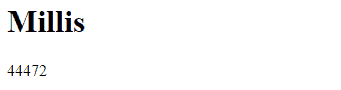
We upload everything to the ESP8266 and access the web page to see that, indeed, the value of ‘millis()’ is updated correctly. Just like in the case of Ajax but much faster.
We’re done! We have seen how to make web forms, how to use Ajax requests, and how to use Websockets, as ways to communicate the frontend with the ESP8266 as a backend.
In the next entry we will see how to make asynchronous Websockets, and in the following one UDP connections. See you soon!
Download the code
All the code from this post is available for download on Github.

Version for the ESP8266: https://github.com/luisllamasbinaburo/ESP8266-Examples
Version for the ESP32: https://github.com/luisllamasbinaburo/ESP32-Examples
