
Let’s start with React by creating our first project. For that, we will use Vite, which is the official recommendation.
Vite is a modern build tool for web projects that offers an extremely fast development experience.
Previously, create-react-app was used, but it has become obsolete. It is no longer the recommended option for creating React projects.
Prerequisites
Before diving into React, you need these basic requirements:
- Node.js and NPM: To manage dependencies and run scripts.
- Code Editors: Such as Visual Studio Code
In other words, more or less the usual tools for any web development. But, in case you’re not familiar with some, I’ll leave some links below 👇.
Creating a React Project
If we have everything installed, we can now create our React project. Open your terminal and run the following command:
npm create vite@latest mi-app —template react
my-appis the project name (you can change it to whatever you want).--template reactindicates the project will use React.
A wizard with options will appear. Select React
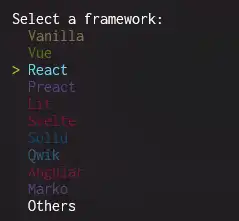
Then, you can select a variant (TypeScript or JavaScript). For this tutorial, select JavaScript.
Finally, navigate to the project directory and install the necessary dependencies:
cd mi-app npm install
Congratulations, your project is now initialized 🎉.
If at any point you need to install Vite in an existing project, you simply have to add these two packages.
npm install -D react react-dom @vitejs/plugin-react
Start the Development Server
Now, to work on our project, we need to be able to see it (that would be good, yes, really). For that, we can start the development server.
Navigate to the project folder (if you aren’t there already) and start the development server by running:
npm run dev
This command will start a development server and provide you with the URL (usually http://localhost:5173) where your application is running.
The terminal will show you a link similar to this:
VITE vX.X.X  ready in Xms
Local: http://localhost:5173/
Now open your browser and visit http://localhost:5173/ to see your application running. 🚀
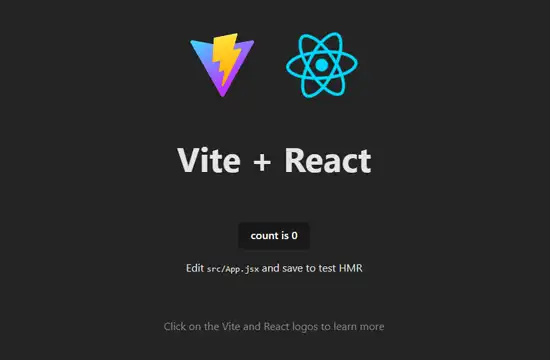
It’s not the best App in the world, but hey! It means everything worked correctly for you 😉.
Vite has Hot Reload. This means the changes you make to the code are shown instantly in this “preview,” and it’s a great help for development.
Build and Deployment
When you have finished programming your application (after many, many days), at some point we will need to build the final application.
To generate an optimized version of your application, use:
npm run build
This will create a dist/ folder with the files ready to deploy on a server or service.
