
Today we are going to see how to create and manage VueJs projects easily thanks to the graphical interface of its Vue CLI in version 3.0.
Web development has changed a lot and very rapidly in recent years. Any modern web development usually requires a large number of tools, tasks, and dependencies.
Fortunately, new tools are constantly appearing that simplify the development process, such as the essential NodeJs or the well-known Webpack, the “Swiss army knife” of web development.
The main frameworks, like AngularJs, are also adapting to improve and simplify the process. One trend is the creation of CLI tools (command-line interface) that simplify project creation and management.
VueJs, of course, also joins this trend and has its own CLI, whose latest version 3.0 was released in August 2018. It incorporates a graphical interface (UI) that greatly simplifies working with VueJs projects.
Install VueJs CLI UI
The first thing we must do is ensure we have the latest version of the Vue CLI installed. To do this, we run the following command to install the CLI globally.
npm install @vue/cli -g
Now, to run the Vue CLI UI we simply have to execute this command.
vue ui
A web server will start on localhost:8000, and the web browser will open showing the Vue CLI user interface.

Logically, the server runs in the command console, so we should not close it while we are running the CLI UI.
Create and Manage Projects with VueJs CLI UI
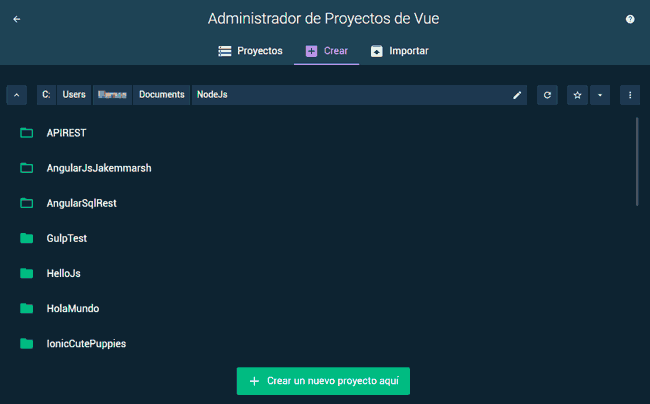
The VueJs CLI UI is simple and intuitive. First, we can create, import, or manage VueJs projects.
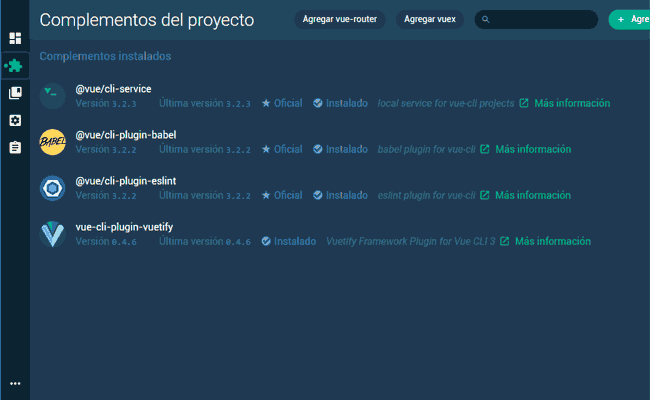
On the other hand, within a project we can manage component dependencies or add packages.
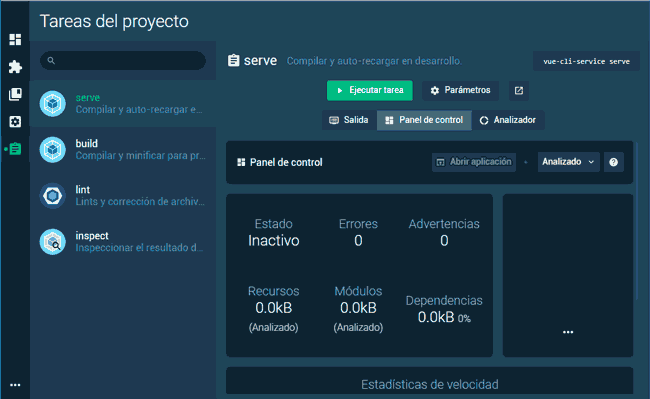
Finally (and probably my favorite functionality) we have task management. Here, we can compile and serve with LiveUpdate enabled, for development work. Or compile for production, running the associated tasks with Webpack (transcompilation, minification, concatenation, …)
All available easily from a single interface! As we can see, the VueJs CLI UI tool is a very convenient tool that greatly simplifies the development of applications with VueJs.
Whether you are an expert user or just starting with this great framework, it is undoubtedly the best option for managing VueJs projects.
