
Photino.NET is an innovative open-source framework for C# that allows us to create lightweight, cross-platform desktop applications using web technologies like HTML, CSS, and JavaScript.
It is clearly inspired by the simplicity of Electron, but without the additional weight that often accompanies Electron-based applications.
Photino.NET aims to provide a fast alternative for modern application development, combining the flexibility of web development with desktop application functionality.
One of its strong points is its low resource consumption. While platforms like Electron can consume a significant amount of memory and disk space due to their dependency on Chromium and Node.js.
Photino.NET supports multiple operating systems, including Windows, Linux, and macOS. It uses WebView2 on Windows and WebKitGTK on Linux (which significantly reduces the weight of applications).
Features of Photino.NET,
- Cross-platform: Compatible with Windows, macOS, and Linux.
- Lightweight: Minimalist design for fast and efficient applications.
- Web technologies: Uses HTML, CSS, and JavaScript for the user interface.
- Interoperability: Smooth communication between .NET and JavaScript.
Photino.NET is Open Source and all its code and documentation are available in the project repository on GitHub - tryphotino/photino.NET.
Installing Photino.NET
To start using Photino.NET, it’s best to download the project templates offered by the project. To do this, we run:
dotnet new -i TryPhotino.VSCode.Project.Templates
Once we have the templates downloaded, we can create a new Photino.NET app by doing:
dotnet new photinoapp -o MyPhotinoApp
If we enter the project and run dotnet run
cd MyPhotinoApp dotnet run
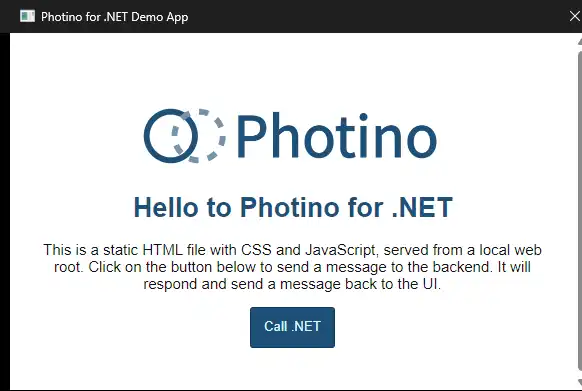
We will see our template ready to start our project. That easy!
How to use Photino.NET
Once you have installed Photino.NET, you can start creating your desktop application. Below.
Basic Example
This example shows a basic example to illustrate how to initialize and run an application with Photino.NET.
using PhotinoNET;

class Program
{
    [STAThread]
    static void Main(string[] args)
    {
        new PhotinoWindow()
            .SetTitle("My First Photino.NET Application")
            .SetUseOsDefaultLocation(true)
            .SetSize(new Size(800, 600))
            .Load("wwwroot/index.html")
            .RegisterWebMessageReceivedHandler((sender, message) =>
            {
                Console.WriteLine($"Message received from frontend: {message}");
            })
            .Center()
            .Show();
    }
}
In this example, PhotinoWindow creates a new window and loads an HTML file from the wwwroot folder. It also registers a message handler to receive messages from the frontend.
Communication between .NET and JavaScript
Photino.NET allows easy communication between .NET and JavaScript, which is necessary for creating interactive applications.
.NET Code
new PhotinoWindow()
    .SetTitle("Communication .NET and JavaScript")
    .SetUseOsDefaultLocation(true)
    .SetSize(new Size(800, 600))
    .Load("wwwroot/index.html")
    .RegisterWebMessageReceivedHandler((sender, message) =>
    {
        Console.WriteLine($"Message received from frontend: {message}");
        (sender as PhotinoWindow)?.SendWebMessage("Message received in .NET");
    })
    .Center()
    .Show();
JavaScript Code
<!DOCTYPE html>
<html lang="en">
<head>
    <meta charset="UTF-8">
    <title>Photino.NET</title>
</head>
<body>
    <h1>Communication between .NET and JavaScript</h1>
    <button onclick="sendMessage()">Send message to .NET</button>
    <script>
        function sendMessage() {
            window.external.sendMessage("Hello from JavaScript");
        }

        window.external.receiveMessage = function (message) {
            alert(`Message received from .NET: ${message}`);
        };
    </script>
</body>
</html>
In this example, a button in the HTML interface sends a message to .NET, and .NET responds with a message that is displayed in a JavaScript alert.
Distributing the Application
Once you have developed your application with Photino.NET, you can easily package and distribute it for different platforms.
Photino.NET supports creating self-contained packages, which simplifies the distribution of cross-platform applications without depending on .NET installation on target systems.
