
Grooveshark is one of the most popular options for listening to music over the Internet. In case some of you still don’t know it, Grooveshark is an audio streaming service where users themselves upload songs, which we can search by title, artist, or album.
Grooveshark has an impressive library of songs. It also allows us to create our own playlists with our favorite songs. It also offers a radio service, where Grooveshark automatically chooses songs in our style based on preferences, using our favorite songs.
What it logically does not allow is downloading from Grooveshark. In this post, we will see how to bypass this limitation and easily download from Grooveshark all the songs we want.
Install Grooveshark Downloader
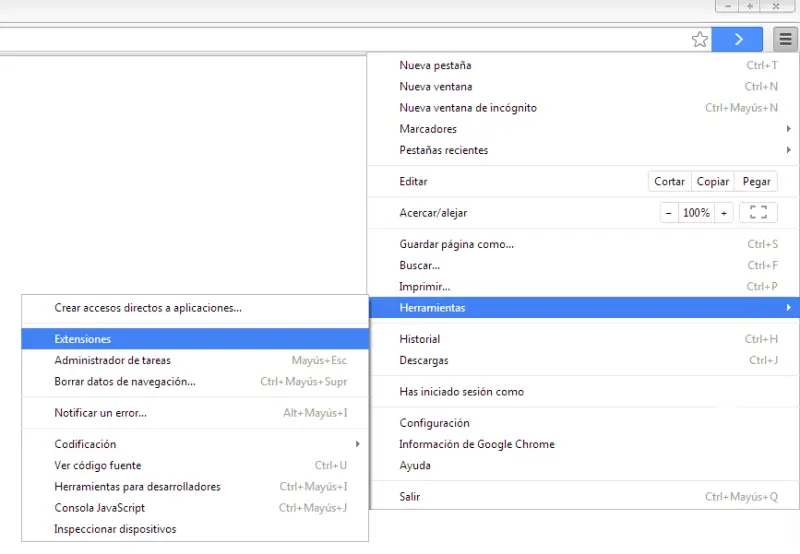
To be able to download from Grooveshark we are going to use the (awesome) Chrome extension Grooveshark Downloader. To install it, first run Chrome, open the options menu and select Tools / Extensions.
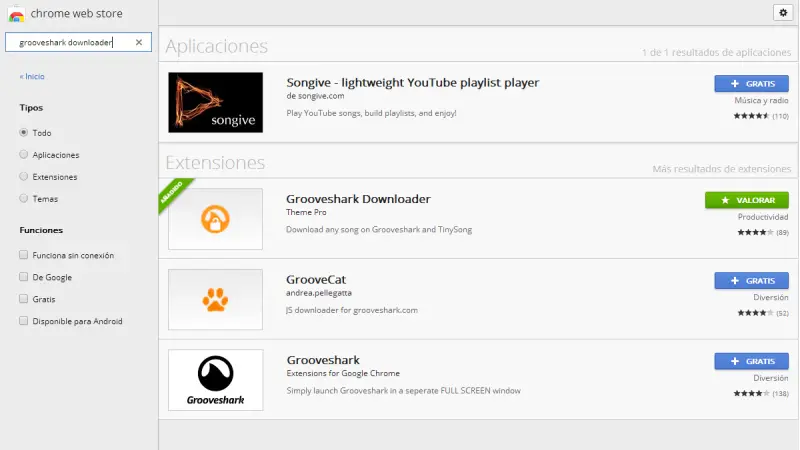
Now we simply have to search for the Grooveshark Downloader extension and install it.
Using Grooveshark Downloader
Using Grooveshark Downloader is really simple. After installation, we will have a button with the program’s icon on the right side of Chrome. We can click this icon to go to the Grooveshark page, or enter normally by typing the address in the navigation bar. In case you are concerned about security, it is not necessary to log in to Grooveshark.
Now comes the interesting part. While we have the extension installed, when selecting an album or a playlist we will see that in the song list a green link with the text “Download” appears next to the song title.
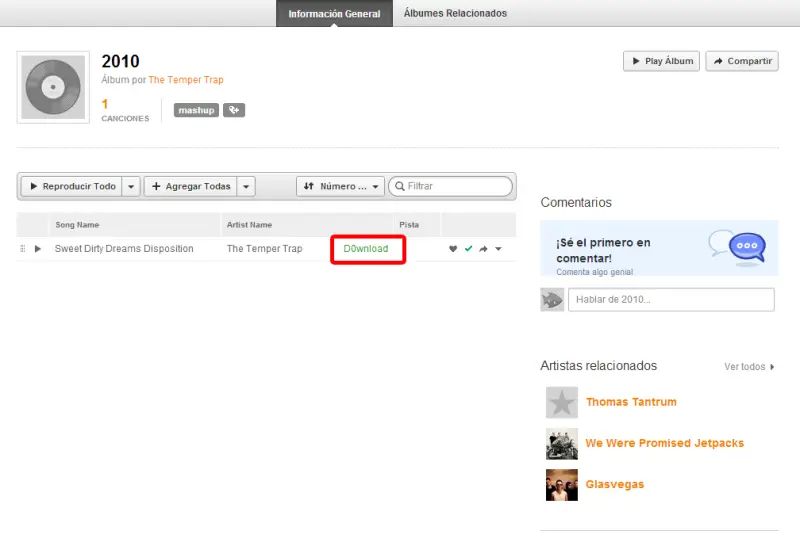
If the song title is long, it can be difficult to see the download link. We can resize the columns to see the link better. Even so, if the song title is very long, the download button may move to a second line, and we will have to be a bit skillful to be able to click it.
Finally, we just have to click on as many links as we want to download all the songs.
We are not responsible for any violations of Grooveshark’s terms of use that you may incur. The content of this post is shared for educational purposes only.
