

Appear.in is a free online application that allows us to conduct video conferences, share the desktop, create webinars, and any type of online meeting in a comfortable and simple way.
In a world where telecommuting and decentralized teams are increasingly common, the need to hold an online meeting with several participants is becoming more frequent every day.
There are many solutions available (Skype, Teamviewer) and, ultimately, they all work correctly. However, the usual experience is that 5-10 minutes before the meeting starts, there’s a flurry of emails or calls with phrases like:
Do you all have it installed? What version do you have? Do you have the meeting ID? Can you see me? Can you all hear me?
This is where Appear.in stands out, making creating an online meeting easy and simple. It just works. No registration, no need to install anything.
How to create a meeting in Appear.in
To create a meeting, we simply go to their page and create a room. Or, if we have previously created a room, we can rejoin it.
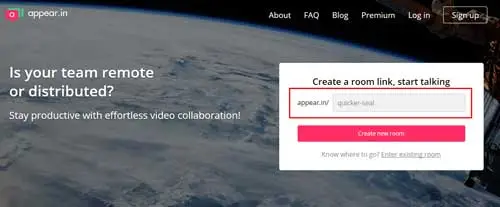
Now we invite participants by sending them the room link. That’s it, that’s how easy it is to have an online meeting.
In the free version we can invite up to 8 people, although they warn that the video quality in the free version suffers with more than 4 participants. Participants can broadcast video or share their screen (but not both simultaneously).
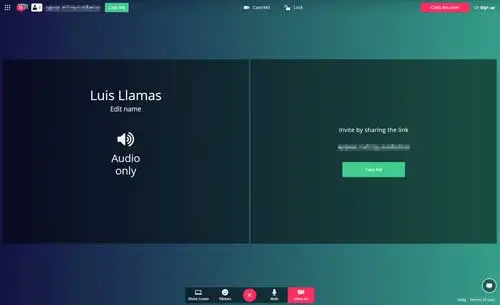
We can enlarge one participant’s window or make it full screen. Of course, we also have controls to mute the phone, pause our video broadcast, and change the camera or audio device we want to transmit.
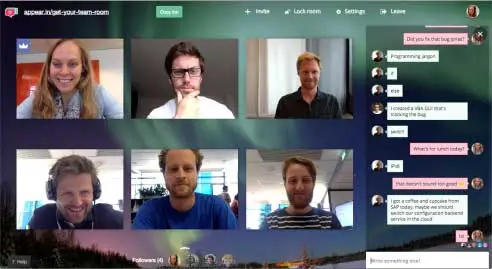
We also have a chat available in the room, useful if we want to send website addresses, a phone number, for example. This avoids having to dictate them and the other participants having to write them down.
Appear.in has a Premium version that increases the number of participants to 12, and allows sharing video and desktop simultaneously, useful for presentations or demos. It costs $12/month per room.
In short, a very useful tool for holding online meetings with people inside or outside our organization, and which stands out for its ease of use compared to traditional alternatives.
