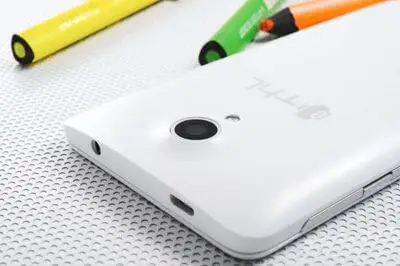
THL is one of the most popular Chinese manufacturers at the moment. Their phones stand out for their striking features and low price. For these reasons, it is starting to become a known brand and the number of units sold in Spain is increasing.
However, this relationship between features and price has a downside. The quality of the components and materials of these phones is not comparable to that of phones from major brands. Consequently, these devices are more prone to developing faults shortly after purchase.
In the case of THL, in some units, the camera stops working a few months after purchase. Searching the internet, we find that this problem occurs, at least, in the T5 and T6 series of phones, although it may be shared by other models.
The symptoms of this fault are as follows. When launching the camera app, the screen appears black, both when using the rear and front cameras. The system slows down, or stops responding completely. After a while, the app closes with the message “Application forced to close”.
Being a Chinese manufacturer, processing the warranty can be difficult or impossible. Fortunately, this fault can be repaired easily. In this post, we will see the repair process, in my case on a THL T5s phone, although the process is similar in the other models.
Repairing the THL
The fault occurs due to a poor soldering process of the chips that control the camera. This causes a poor contact to develop over time, resulting in the malfunction. To fix it, we simply need to apply some pressure to these chips.
First, remove the back cover of the phone.
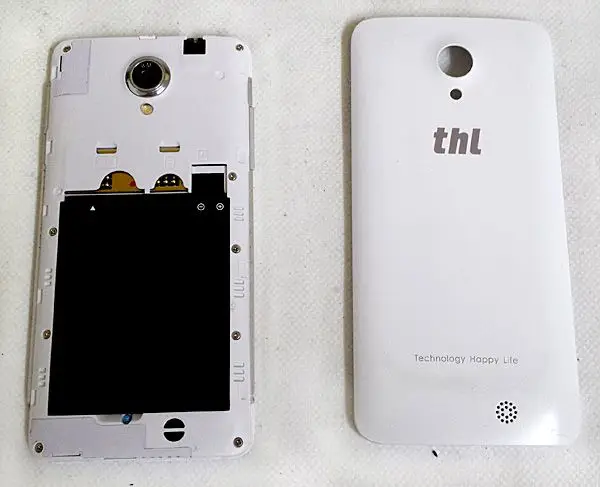
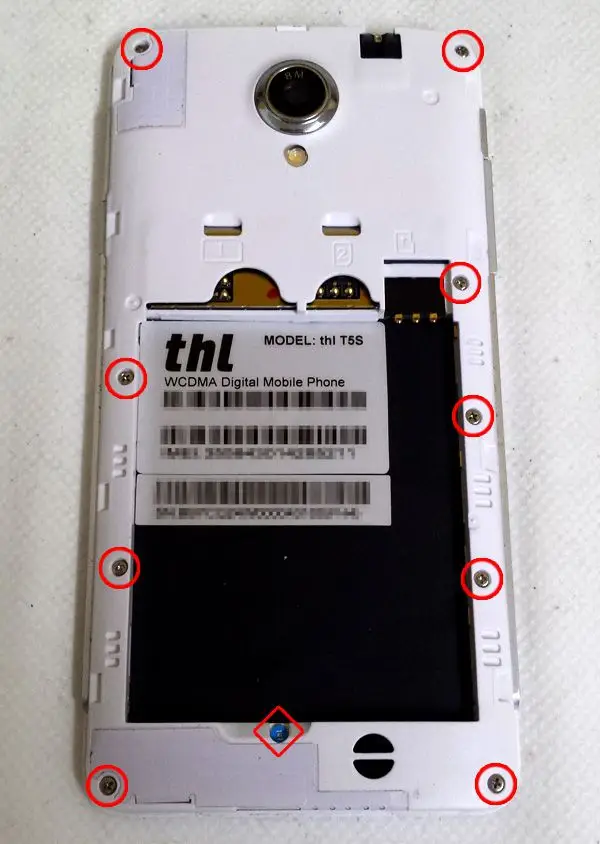
Unscrew the screws marked with a circle in the image. The screw marked with a diamond has a manufacturer’s seal, so if you remove it, you will void the warranty. For this repair, it is not necessary to remove this screw, so it’s up to you whether you want to remove it or not.
Remove the back cover. To do this, use a screwdriver, gently prying around the edges. The clips of the back cover are very delicate, so disassemble it carefully or you may break a clip.
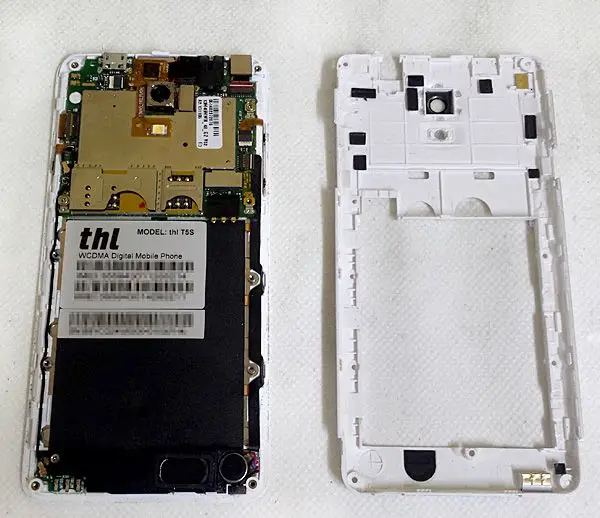
The chips that have poor contact are the ones immediately next to the camera. If we press gently and turn on the phone, we should see the camera working again.
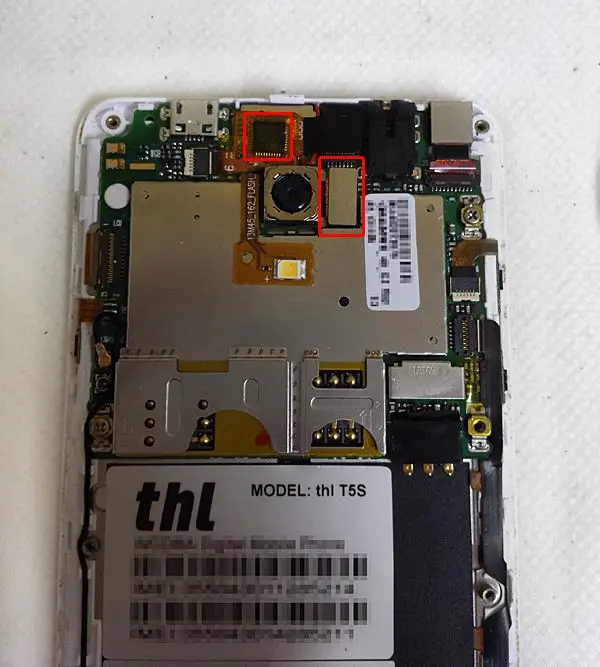
To apply permanent pressure, insert some kind of rubber that exerts pressure when the back cover is closed. It must apply enough pressure to be effective, but not enough to cause any damage. In my case, I used some foam like that used for shipping electronic components; something similar is sufficient.
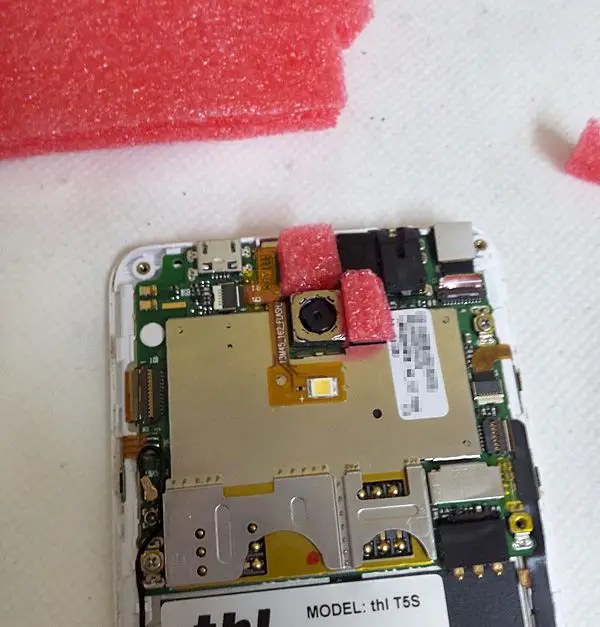
And that’s it! Carefully reassemble the phone, paying special attention when reassembling the back cover and the buttons. Screw it back together, and if everything went well, when you turn the phone back on, the camera will be working.
There is no guarantee that your phone’s fault will be solved by performing this process. There are many reasons why a camera can fail. However, if you have symptoms similar to those mentioned, you can try it.
Repairing a phone is a delicate operation that requires some experience and skill. We are not responsible for any damage you may cause to your device during the repair process.