In this post, we are going to see how to install the MySQL/MariaDB client on a Debian-based operating system like Raspbian on Raspberry Pi.
In previous posts, we have seen how to install a MySQL/MariaDB database and the popular web client PHPMyAdmin on Raspberry Pi. Although very popular, we mentioned that PHPMyAdmin is not the only client available. On the contrary, we have many more options.
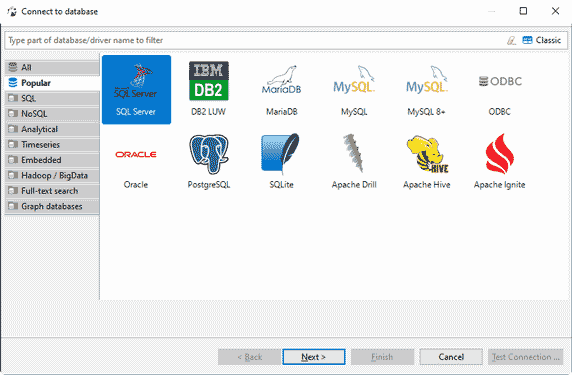
One of the most popular is DBeaver, a cross-platform SQL client and database administration tool. It supports a wide variety of database types such as MySQL, PostgreSQL, SQLite, Oracle, DB2, SQL Server, among others.
DBeaver is a desktop application written in Java. The interface is pleasant and functional. It provides commands to perform practically all the functions you might ever need to do in a database, in a simple way.
It has two types of licensing. The Community Edition (CE) is free and Open Source, distributed under the Apache license. There is also a commercial version that includes, among other features, compatibility with NoSQL databases.
To install DBeaver, we simply need to download and run the installer for our operating system (for Debian in the case of Raspbian on Raspberry Pi) from the project’s download page https://dbeaver.io/download/.
Once installed, we add the data sources we need. For most databases, it will be necessary to install the third-party driver. Fortunately, DBeaver provides us with instructions and the link to install the drivers.
Once connected to the database, using DBeaver is very intuitive. The windows and menus are intuitive yet powerful. It is easy to access the necessary functions and tools, such as creating/deleting/renaming databases or tables, running queries, exporting queries, among many others.
In short, DBeaver is a very interesting and recommended software if you are going to work regularly with databases on any operating system.
In the following Raspberry Pi tutorials where we use databases, we will frequently mention DBeaver as the standard management and administration tool. If you haven’t already, take the opportunity to check out this interesting tool!