

Before we can run Python code on our computer, we need to install the Python interpreter on our system.
Fortunately, it’s a very simple process and compatible with the main operating systems.
Installing Python
To install Python on a Windows system, we can download the installer from the official Python website (https://www.python.org/downloads/).
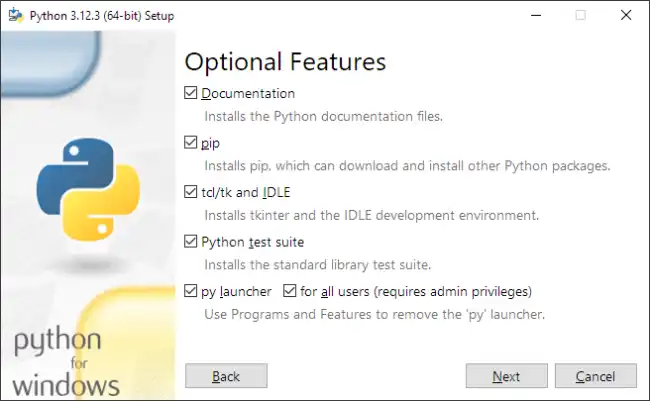
Once the installer is downloaded, simply run the file and follow the instructions in the installation wizard.
In most Linux distributions, Python is already installed by default. If we need to install a newer version, we can use our distribution’s package manager.
For example, apt on Ubuntu or yum on CentOS.
sudo apt install python3
On macOS, Python also comes pre-installed on the system. However, we might need to install a newer version or manage multiple Python versions.
For this, we can use tools like Homebrew or pyenv.
Verify the Installation
Once the installation is complete, it’s a good idea to verify that Python has been installed correctly on your system.
To do this, open a terminal window and type the following command:
python —version
This command should print the version of Python installed on your system. If you see something like:
Python 3.x.x
Where 3.X.X is the Python version, congratulations! You have successfully installed Python on your system 🥳.
Development Environments
Now that we have Python installed on our system, we need a development environment where we can write, debug, and run our code.
There are several popular development environments for Python, each with its own features and advantages.
IDLE
IDLE is the integrated development environment (IDE) that comes included with the standard Python installation. It provides a code editor, an interactive Python interpreter, and basic debugging tools.
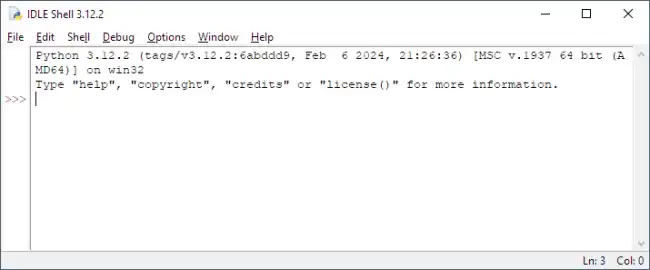
IDLE is very, very basic, and I only recommend it for the simplest tasks or for a couple of quick tests. Normally we would use a more complete IDE like VS Code 👇.
Visual Studio Code
Visual Studio Code is a lightweight and highly customizable code editor that is very popular.
It supports a wide range of languages, including Python, making it a powerful (the best?) development environment for Python.
It offers support for debugging, version control, integration with virtual environments, and much more.
We will see how to set up Visual Studio Code to work with Python in the next article.
