

In this short post, we are going to see how to remove most floating banners of the type “a subscription is required to view the content of this page.”
Often, when we navigate to a news page, a download page, or similar sites, we will encounter a banner or pop-up informing us that we cannot read the content unless we are subscribed to it.
Of course, we should support content creators, digital press, and other media by paying or subscribing to their services when we deem it appropriate. They have the right to request it, and it is also fair.
But I also have the right (and it is fair) to bypass your protection, especially if it is as poorly made as a banner that covers the content. Content that, by the way, I have already downloaded and is on my computer.
It is terribly simple to remove this subscription banner. The first option would be to use the browser’s developer tools to delete the banner. It’s a fun process and not very complicated, although it requires some knowledge of HTML.
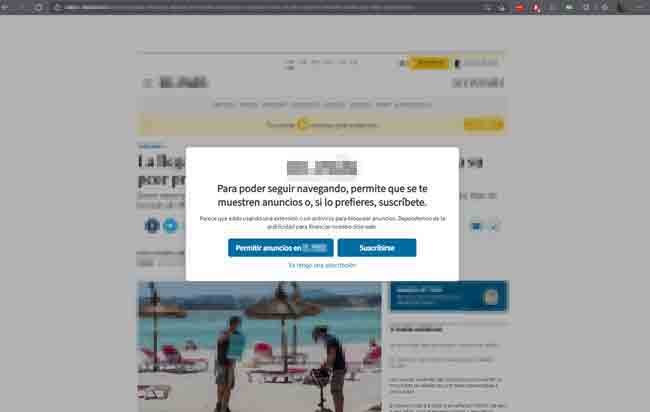
But there is an even simpler option. All these subscription banners and pop-ups need JavaScript to function. So, we can simply temporarily disable JavaScript execution in the browser to remove the sign.
To do this conveniently, several extensions are available. One of them is “Disable JavaScript,” which, as its name suggests, is solely responsible for conveniently disabling JavaScript on a page. Exactly what we need!

With our new extension installed, we simply have to click the button to activate it on the page in question and press F5 to reload it. We will see that there are no more banners, pop-ups, overlays, subscription notices, or anything at all. And we can now read our page just fine.
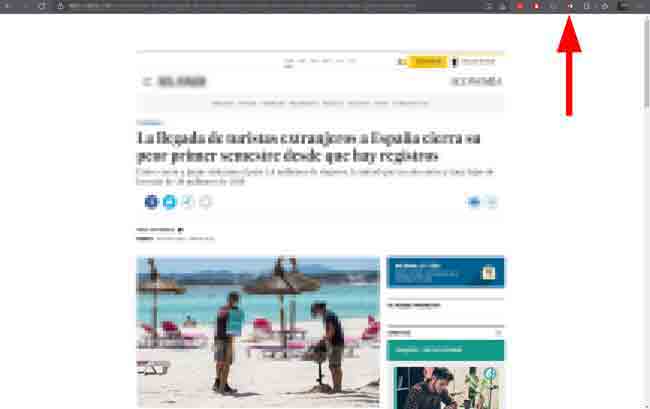
Of course, there are many other things on a webpage that need JavaScript to work. So, expect many page functions not to work, or some layout misalignment. But nothing serious, or that prevents our goal of reading the content.
Disabling JavaScript is a very interesting extension in many other situations, as it is a bad habit of some web developers to unnecessarily overload their pages with scripts. Pages that work amazingly well with JavaScript disabled.
Again, if you like the content of a page or media outlet, the right thing to do is to pay what the creator asks for. In any case, if they want to protect the content of a website, they should do it in a more professional way than “badly covering” the content and disabling the scroll bar. See you next time!
And of course, we are not responsible for any possible illegalities (none that I know of, but since there are many countries and laws, just in case) or breach of user conditions, etc., that you may commit by bypassing a subscription banner or sign.
