

In this post, we are going to look at Instant Meshes, an Open Source automatic retopology algorithm that achieves 100% quad meshes quickly and easily, with almost no user intervention.
When creating a 3D design, it is common to prefer meshes made up solely of quads because, in general, smoothing algorithms produce better results, they are easier to animate, and even to texture.
The process of changing an object’s 3D mesh into another with approximately the same shape is called retopology. Although various tools exist for performing retopology and they have evolved rapidly in recent times, it is usually still a laborious process.
There are also tools that perform retopology automatically, but often the result is not very good, so a significant portion of the work still needs to be done manually.
This promises to change with the arrival of Instant Field-Aligned Meshes, an algorithm presented at SIGGRAPH Asia 2015 developed by Wenzel Jakob, Marco Tarini, Daniele Panozzo, Olga Sorkine-Hornung, which substantially improves the results and speed of existing automatic retopology tools.
Instant Field-Aligned Meshes allows for the automatic retopology of any mesh to 100% quads with surprisingly good results. However, it is also possible to guide the solution by manually indicating the mesh flow, and then finalize with the automatic process.
Using Instant Meshes
Using Instant Meshes is really simple. In this case, we will look at using the stand-alone application, but the underlying functionality is the same for all systems that implement the algorithm.
First, we load a mesh. The formats available in the stand-alone application are Wavefront Object (.obj), Stanford PLY (.ply), and Aligned point cloud (.aln).
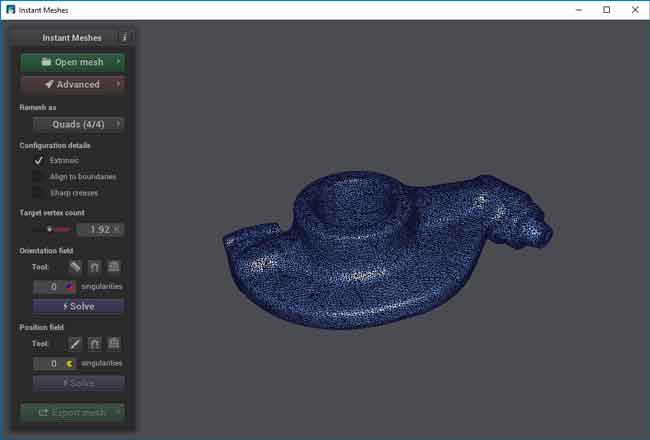
We select the desired topology options and click “Solve”. Instant Meshes performs an initial approximation of the mesh orientation based on the automatically estimated flow.
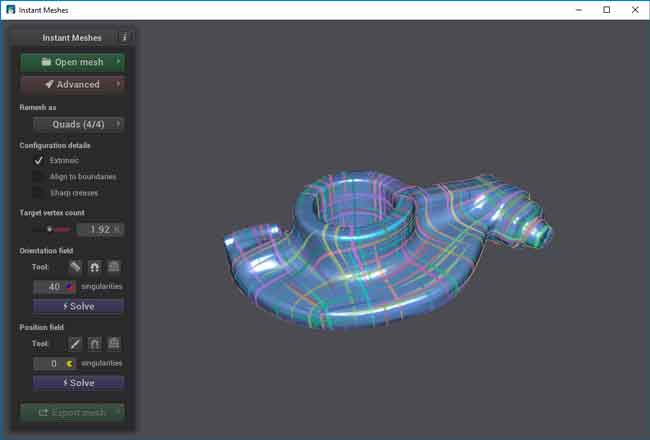
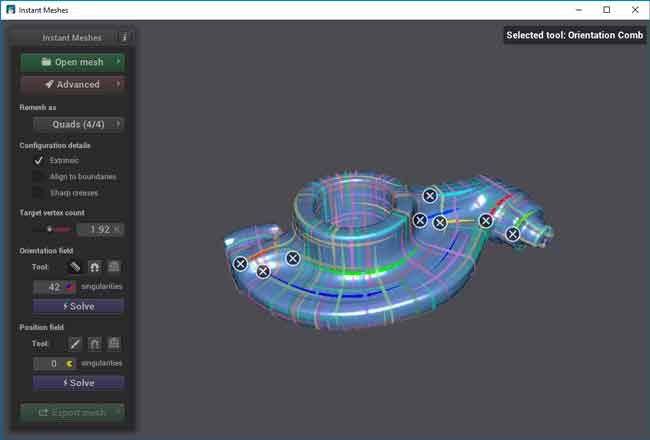
Next, we can modify or refine the mesh flow using the “orientation field” and “position field” tools. These tools work by “painting” strokes that indicate the mesh orientation.
Finally, we click the lower “Solve” button. Instant Meshes performs the calculation and displays what the retopology result will be. If we agree with the result, we finally click “Export Meshes” to export the final mesh to an output file.
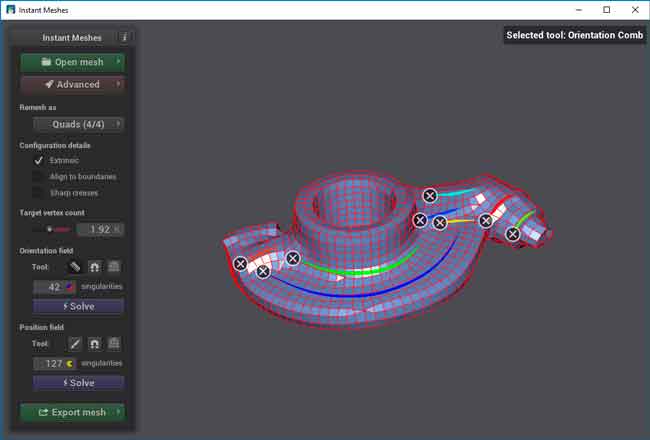
Instant Meshes has additional tools for handling poles and singular points. We can move these points to the area of the mesh we are interested in, or even cancel one with another. For more information, consult the program’s documentation.
It is a very interesting and intuitive tool that is worth at least taking a look at. It represents a great improvement over other automatic retopology solutions, and in many cases completely avoids the manual process.
Instant Meshes is an Open Source project. The project information and documentation is available at http://igl.ethz.ch/projects/instant-meshes/, the code is published on Github at https://github.com/wjakob/instant-meshes.
Furthermore, it is available as a stand-alone application in the form of precompiled binaries for Windows, Mac, and Linux. Finally, it has been integrated into recent versions of Blender (starting from 10.2) as an automatic retopology tool.
