

The Magic Home library allows interaction with lighting devices compatible with the Magic Home platform.
Magic Home is a popular application used to control smart LED lights controlled by Bluetooth or WiFi, especially in cheap models like those found on AliExpress.
The Magic Home library for C# provides a simple and efficient way to control smart lights compatible with the Magic Home platform. We can detect devices, turn them on or off, change the color of the lights (if they are RGB).
In general, we have all the functionalities found in the application, but called from our own C# app.
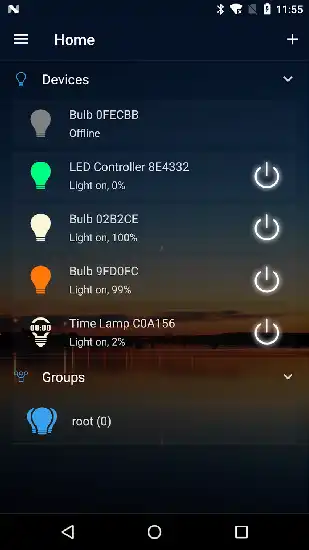
For more details and advanced features, visit the official Magic Home repository on GitHub.
Installation
To add the Magic Home library to your .NET project, use the NuGet package manager. Open the terminal or the Visual Studio Package Manager Console and run the following command:
Install-Package MagicHomeAPI
Or via the NuGet interface in Visual Studio, search for MagicHomeAPI and install it into your project.
Using MagicHomeAPI
Discover Devices
The first thing we need to do is discover compatible lighting devices on our local network. This can be achieved using the DiscoverDevicesAsync method.
using MagicHome;

public async Task DiscoverDevices()
{
    var devices = await DeviceLocator.DiscoverAsync();
    foreach (var device in devices)
    {
        Console.WriteLine($"Found device: {device.Hostname}");
    }
}
Connect to a Device
After discovering the devices, we can connect to a specific one using its IP address.
using MagicHome;

public async Task ConnectToDevice(string ipAddress)
{
    var device = new Device(ipAddress);
    await device.ConnectAsync();
    Console.WriteLine("Connected to device.");
}
Turn Lights On and Off
Once connected to the device, we can turn the lights on and off with the TurnOnAsync and TurnOffAsync methods.
using MagicHome;

public async Task ToggleLight(string ipAddress, bool turnOn)
{
    var device = new Device(ipAddress);
    await device.ConnectAsync();

    if (turnOn)
    {
        await device.TurnOnAsync();
        Console.WriteLine("Light turned on.");
    }
    else
    {
        await device.TurnOffAsync();
        Console.WriteLine("Light turned off.");
    }
}
Change Colors and Brightness
We can change the color and brightness of the lights using the SetColorAsync method.
using MagicHome;

public async Task SetLightColor(string ipAddress, byte red, byte green, byte blue, byte brightness)
{
    var device = new Device(ipAddress);
    await device.ConnectAsync();
    await device.SetColorAsync(red, green, blue, brightness);
    Console.WriteLine($"Color set to R:{red} G:{green} B:{blue} with brightness {brightness}.");
}
