Today we are going to look at a very interesting program I came across by chance on Twitter, MagicaVoxel. A 3D design program for models made of voxels, similar to 2D “pixel art”.
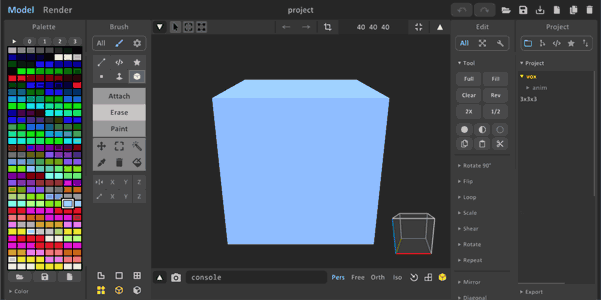
It is a simple program that includes tools to add or remove voxels, select a group of voxels, or change their color. A more limited set of tools than we are used to in a 3D design program, but sufficient and appropriate for its purpose.
It also includes a color selection palette, editing tools (move, rotate 90º, scale…), paint bucket, repeat an operation on X, Y, Z axes, create symmetries, etc… among other utilities to facilitate work during design.
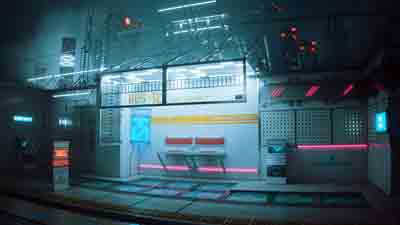
 Furthermore, it incorporates an unbiased rendering engine capable of achieving very eye-catching results with almost no parameter configuration. It is compatible with HDR environment images, fog, depth of field, radiosity, and self-illuminated materials.
Another of the most important features is the ability to import an existing 3D object in OBJ format. In the edit, we can choose the number of Voxels and, therefore, the degree of “fineness” of the conversion. Subsequently, we can edit it with the program’s own tools.
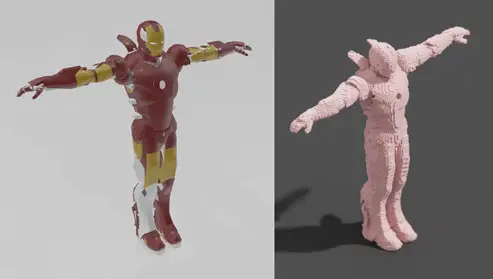
Similarly, the generated models can be exported in various formats including OBJ, PLY, so they can be imported into 3D software like Blender or a game engine like Unity.
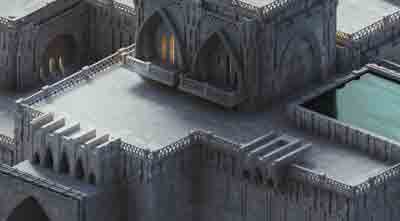
MagicaVoxel is suitable for artists, video game designers, or simply if you feel like spending an afternoon drawing and developing your creativity. You can search on Google or Twitter for images generated with this program to be amazed by the creative capacity of artists with a tool like this.

MagicaVoxel is free and available for download at https://ephtracy.github.io, where you will also find a viewer for the generated files and the project documentation.