
Types is a small tool for Windows users that allows us precise and simple control over program associations, icons, context menus, and other settings related to file types.
Developed by Ystr, this program provides a simple yet powerful interface that allows us to customize the different file types in the Windows environment.
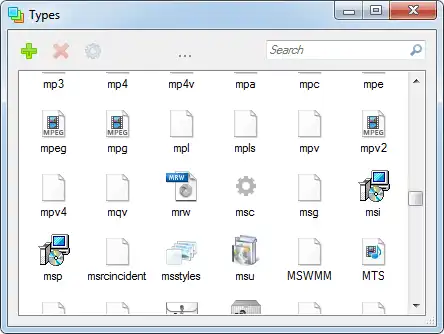
Types is a comprehensive solution for those who want total control over how their Windows operating system handles file types.
The main functionality of Types is to allow us to edit program associations for specific file types.
This goes beyond what Windows allows by default (at least easily), allowing us to assign specific applications to particular file types in a simple way.
Furthermore, we can customize the icons associated with different file types. You can easily select custom icons for each file type.
On the other hand, we can also customize the options available in a file’s context menu, adding or modifying actions associated with the file type.
Types integrates into the Windows Control Panel, where it appears as another tool in the options. Options that, by the way, Windows itself should provide without the need for third-party tools… but oh well.
Types is Open Source. You can find the documentation and code on the project’s website at https://ystr.github.io/types/.
