
Media Classic Player, also known as MPC, is a simple and very popular multimedia player for Windows.
MPC (Media Classic Player) is a free and open-source alternative to other players like Windows Media Player and VLC Media Player.
MPC is compatible with a wide variety of file formats, including AVI, MPEG, MP4, WMV, and MOV. It can also play audio files in formats such as MP3, AAC, and FLAC.
Furthermore, MPC also supports subtitles in various formats, making it ideal for watching movies and TV shows.
MPC’s user interface is simple and easy to use. No frills or extra add-ons to distract. It simply plays video and audio, and it does it very well.
In the top bar, we have a toolbar with the main functions, such as opening files, adjusting the volume, and adjusting playback settings.
Below the toolbar is the playback window, where the multimedia content being played is displayed.
Finally, at the bottom, we have the status bar with playback controls, the file duration, and the current playback time.
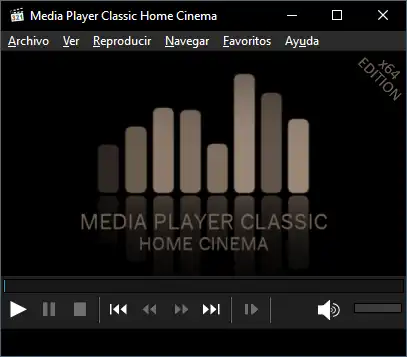
We can also modify the aspect ratio, video quality, and playback speed. Additionally, we can add subtitles to the playback.
Finally, MPC allows adding filters and even shaders to video playback. This is very interesting for achieving very striking effects.
On the other hand, Media Classic Player has the ability to play incomplete or damaged files, which is useful when we are downloading files from the Internet.
Unfortunately, it has been officially without development since 2017. Still, it remains my favorite video player for its simplicity and how well it works.
Overall, MPC remains an excellent alternative to standard Windows multimedia players. It is a video player that simply works.
Media Classic Player is Open Source, and all the code and documentation is available in the project repository at https://github.com/mpc-hc/mpc-hc
