

Versioning is an essential practice in software development that allows us to track and control the changes made to a project over time.
The concept of a version is something we use every day, and it’s not exclusive to programming. For example, imagine you have a text document, and later you modify this document.
Instead of overwriting the same document, you save it as a new one. This way you have traceability of the modifications. Well… you’ve just created a new version of your document.
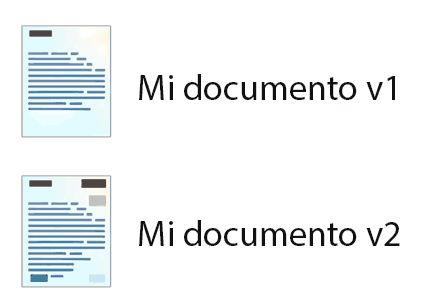
If you are more or less rigorous, you will set some rules for naming each version. For example, you put v1, v2 at the end, or the date, or whatever. If not, you’ll end up like in the joke… ‘document_final’, ‘document_final_now_really’ 😉.
Working with versions is always complicated and requires rigor and care. In general, it requires you to have a set of rules or norms and follow them strictly.
As I said, versioning exists in many fields. It exists in documents, it exists in manufacturing blueprints. Each sector has its own tools for managing versioning.
However, in software development, version control is even more important. This is because if something is modified, there is a very real possibility that your program will stop working.
What is Versioning?
Speaking technically, versioning refers to the assignment of tags or numbers to the different modifications of software as it is developed and updated.
Each version represents a specific state of the project at a given time (this may include changes, improvements, or fixes compared to previous versions).
Version management is very relevant (essential?) for the reliability of software in large-scale projects. Both for:
- People who use your development
- Dependencies you use in your code
Doing version management by hand would be very tough. Fortunately, there are tools for version management, such as source control and package managers.
Semantic Versioning
As I said, an important part of versioning is deciding the rules and norms you can use to name versions. There are many systems for designating versions, or you could even create your own.
However, there is a system called semantic versioning that is widely used in the development community. Although it’s not the only one, it has become practically an accepted standard.
Semantic versioning consists of three numbers that identify the version:
MAJOR.MINOR.PATCH
Let’s look at each of these parts and the rules that lead to incrementing them:
MAJOR: The major version number indicates significant changes that are incompatible with previous versions (generally, it is incremented when changes are introduced that may break compatibility with previous versions).
MINOR: The minor version number indicates new functionalities or improvements that are backward compatible (when incrementing the minor number, it indicates that features have been added without affecting compatibility with previous versions).
PATCH: The patch version number indicates bug fixes or minor adjustments that do not affect backward compatibility.
Additionally, there is another rule. Each time a number is incremented, the ones “below” it reset to zero. That is:
- If
MAJORchanges, we resetMINORandPATCHto zero - If
MINORchanges, we resetPATCHto zero
What Does Breaking Compatibility Mean
I’ve said several times that the criterion for defining whether it’s a MAJOR or MINOR version is if compatibility is broken. But what does “breaking compatibility” mean. Let’s look at it in more detail with an example.
Imagine you’ve made a library that generates QR codes. The syntax for generating the codes is very simple, you just pass the text you want inside the QR, and the path where to save the generated QR.
// v1.0
generateQR('my text', 'path_image')
Now you add an optional parameter to change the color of the QR code. This is a change that does not break compatibility. All code that was using your library will continue to work.
// v1.1 now there is an optional color parameter
generateQR('my text', 'path_image', 'pink')

// if you do not specify the color, it works just like v1.0. It does not break compatibility
generateQR('my text', 'path_image')
But, for example, at some point your library supports so many options that passing them as parameters is not practical. So you decide to create a new object called options that is passed to the generateQR function.
// v2.0
options = { path: 'path_image', color: 'pink' };

generateQR('my_text', options);
No one who was using your v1.0 library will be able to use it. So it’s a change that breaks compatibility and therefore the new version must be v2.0.
Partial Compatibility Break
I don’t want to be annoying, but it’s important to understand the concept of breaking compatibility. You break compatibility even if it doesn’t happen in all cases.
Let’s forget the previous v2.0 for a moment and go back to the case where you had v1.0.
// v1.0
generateQR('my text', 'path_image')
Imagine that (who knows why, it’s an example) your new version of the QR generator will not accept the - character. (for example, because you use it internally for “who knows what”).
Anyway, from now on if someone wants to use a - in your library, they will have to ‘escape’ it, by putting \-.
// v1.0
generateQR('my-text', 'path_image')

// v2.0 special characters must be escaped
generateQR('my\-text', 'path_image', 'pink')
Most programs using your library, which didn’t use the - character at all, will work without problems.
But just the poor guy who had the bad luck of actually using a -, his program will crash badly. So it’s a MAJOR version change, even if it only breaks in certain cases.
In summary, in semantic versioning, what does it mean if you find that one of the fields is higher than the version you are using?
- PATCH: You can update without problems, I’ve only fixed bugs
- MINOR: You can update without problems, although there are new features available
- MAJOR: You should take a look at your program, in some cases it will crash
