

ReNamer is a very powerful and flexible file renaming tool, with all the necessary options to rename large quantities of files quickly and easily.
Renaming files in bulk is a very common need. For example, adding a prefix, or adding a counter to a series of files.
There are many tools for renaming files. But my favorite is still ReNamer, because of the vast number of options it has and how simple it is.
ReNamer works by defining a series of “rules”, which are actions we add to our project and that will be performed sequentially on our files.
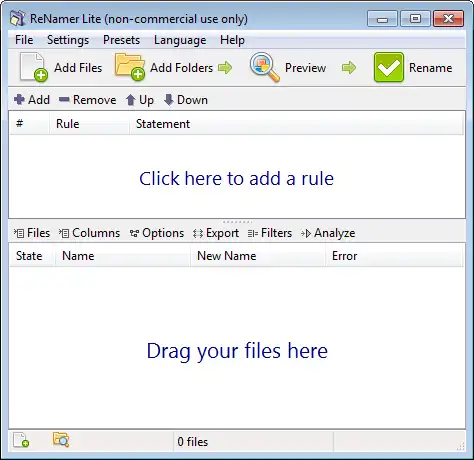
There is a huge number of actions we can add, including text replacement, text insertion, text deletion, case changes, numbering, among many others.
Combined, these actions mean we can basically configure any workflow or renaming configuration we might need.
Once the rules are defined, we add the files we want to rename. We can also select an entire folder to add all the files it contains.
The lower screen shows the original name and the result of the renaming. Furthermore, it warns us if there is a conflict, i.e., if applying the rules would result in several files ending up with the same name.
Additionally, we can save the rules we have defined into templates, which are groups of rules we can use later. The free version allows defining a maximum of 5 templates.
ReNamer is available on the official website at https://www.den4b.com/products/renamer. It is free, although there is a paid version with additional features such as commercial use, or unlimited templates.
