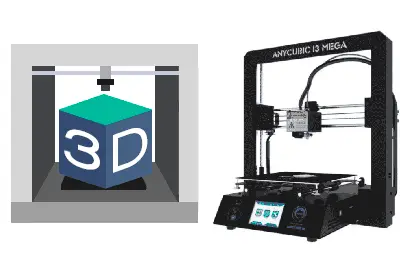
In this post, we are going to see a review/unboxing of what, for me, is the best domestic 3D printer we can buy right now, the popular Anycubic i3 Mega.
Those of you who chat with me regularly on Twitter already know that for my birthday I “semi-gifted” myself a new 3D printer, because the previous one had earned a well-deserved retirement.
After a few months testing my new Anycubic i3 Mega, I am so happy with the result that I have decided to take the plunge and do a Review/Unboxing of this great 3D printer.
More than that, this new printer has reawakened my “3D printing bug,” so we are going to create a new section on the blog dedicated to 3D printing! Here we will see everything from beginner tutorials, solving the most common errors, sharing 3D models… and whatever else comes our way!
Of course, you are all invited to participate in this new 3D printing section however you like. By participating in the comments, asking questions, sharing your experiences, sending us photos of your projects, or anything else you can think of.
For now, in this first post of the section, logically, we are going to start with the review of the Anycubic i3 Mega, as it will be my printer for (hopefully) the next few years.
Looking for a Domestic Printer
We started by looking for a good 3D printer for the domestic sector. What I was looking for to decide on a printer was a series of factors, which I imagine many of you share.
First, the most obvious, I want it to have a moderate price. I don’t want to spend 600€ on a 3D printer. In the end, it’s still a hobby or a pastime, and I don’t like the budget for “things to play with” getting out of hand.
Of course, at the same time, I want it to have good print quality. I have seen domestic printers that print pieces that are truly pitiful, no matter how proud their owners are of them.
On the other hand, essential for me, I want it to be as close as possible to “plug and print.” I don’t want to calibrate the bed every other day, spray hairspray to make the pieces stick, checking if I get this or that error, if the print failed. I don’t have that much time (or desire). What I want is that when I need to print, it works well, even if I haven’t used it for 3 weeks.
Finally, I want it to have good aesthetics. I don’t want a Frankenstein printer that I’m ashamed to have in my office, with a mess of cables sticking out, a glass held with binder clips, and the mechanical parts exposed.
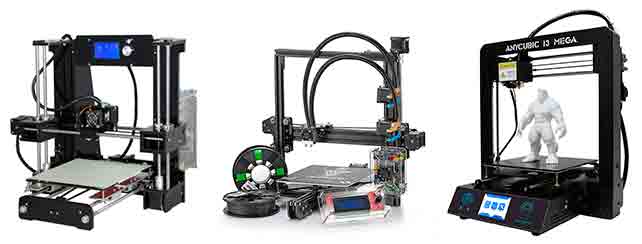
With these conditions, after the initial purge, I was left with three candidates. The Anet A6, A8 and A10, the Tevo Tarantula, and the Anycubic i3 Mega, all very popular models.
In the end, I decided on the Anycubic i3 Mega because of the large number of sales it has on AliExpress, Ebay, or Gearbest and the good comments I read (although you can never fully trust this).
I must say that I am very happy with the purchase decision of the Anycubic i3 Mega, as it fulfills everything I was looking for and exceeds it by far. Next, we will see its main features.
Features of the Anycubic i3 Mega
The Anycubic i3 Mega is a fused filament deposition (FDM) 3D printer with a Bowden-type extruder. It can reach up to 275ºC, so it can print most filaments like PLA, ABS, Wood, Metal, or Nylon.
The print volume is 210x210x205mm, correct but perhaps a bit tight by current trends. The precision is 0.01mm on the X and Y axes, and 0.002mm on the Z axis, resolutions within the common range. The printer size is 405x410x453mm, and the weight is approximately 10kg.
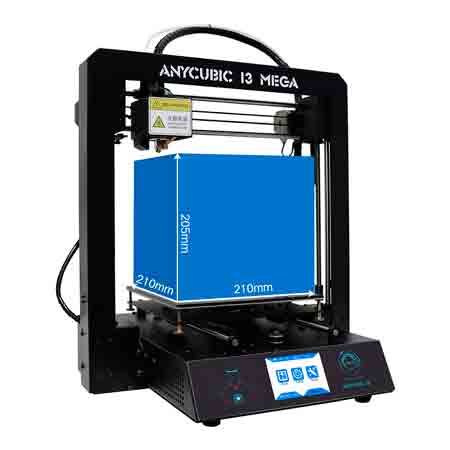
The Anycubic i3 Mega comes ready to print with the usual filament diameter of 1.75mm. It incorporates a standard 0.4mm diameter nozzle. With this configuration, the printer can print layer heights from 0.05mm to 0.3mm.
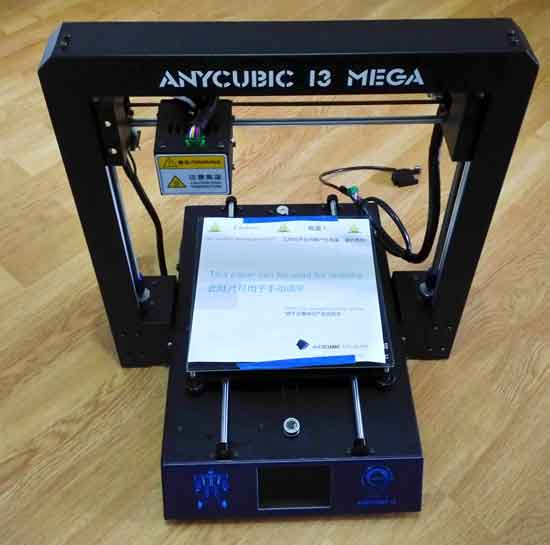
The frame of the Anycubic i3 Mega is metal (aluminum) and provides great rigidity to the assembly. It has a dual motor for the Z axis for greater precision. The printer assembly is really simple. It comes disassembled in two parts that are joined with 8 screws and 3 cables with different terminals and colors. Literally, in 5 minutes we can have the printer assembled and running.
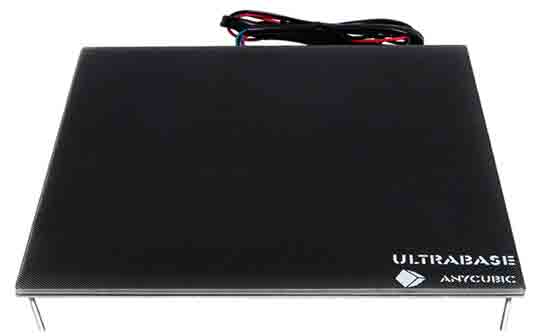
Another advantage is the Anycubic Ultrabase heated bed. This base has a special treatment designed to provide perfect adhesion to your pieces. It’s hard for a piece not to stick and, at the same time, they are easy to remove once the bed has cooled. The temperature it can reach is up to 100ºC. A real success by Anycubic, making printing a delight.
In terms of electronics, it mounts a Trigorilla control board manufactured by Anycubic. It also incorporates a 3.5-inch touch screen, so its use is very simple and intuitive.
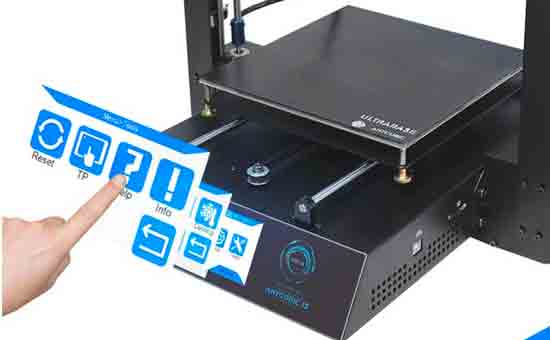
The printer has an SD card slot, where we can load models and print directly from the SD. It also has a USB type B port to which we can connect a computer with the provided cable and print from the computer (for example, wirelessly with Octoprint).
Other improvements it incorporates are a filament sensor that stops the print if the filament runs out. It also has the option to resume printing in case of a power outage. In reality, these two functions are quite less useful than they seem (I have them disabled).
Price
Time to talk about “filthy lucre,” which, like it or not, is one of the main factors in the purchase. We can find the Anycubic i3 Mega in major online stores, such as Amazon, AliExpress, Ebay, or Gearbest, among others.
The cheapest I have found is 268€ with shipping included. When buying it, I advise you to choose it with shipping from your country. Otherwise, you will have to pay shipping costs and customs fees and, in total, it will be more expensive.
It’s a pretty unbeatable price for a printer of this quality. It is slightly more expensive than (some) Anet models and in a similar range to the Tevo Tarantula.
Unboxing
In my case, the shipping was very fast because I chose local shipping, about three days. The package measures about 56x26x26cm and weighs about 15kg.
The Anycubic i3 Mega comes very well packaged and protected. Each part is correctly wrapped and placed in its position in the box thanks to the polystyrene protectors (it’s not polystyrene, but you know what I mean).
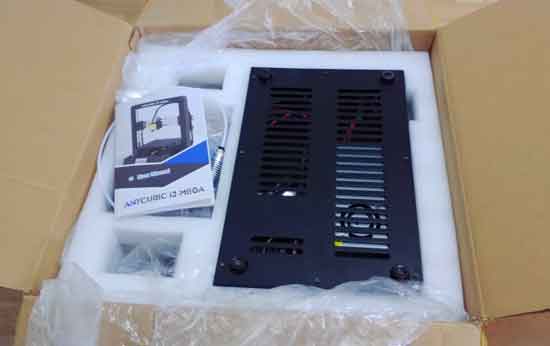
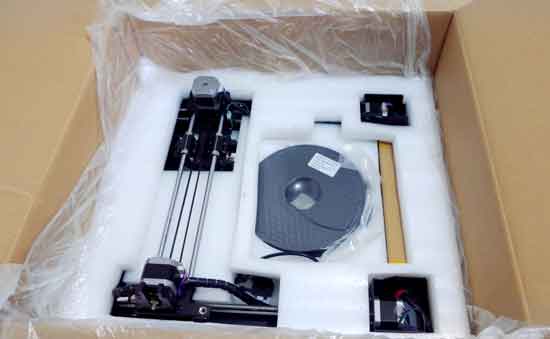
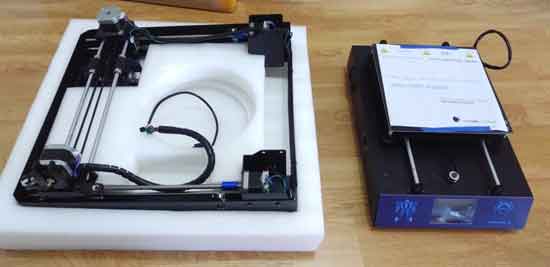
In the package, we find the parts of the 3D printer, the screws for assembly (8x M5), the power cable, a USB A-B cable, and the disassembled parts of the acrylic spool holder.
As extras, it includes a 1kg roll of black PLA, an SD card reader and an 8GB card, a spare hotend and endstop, and tools (glove, pliers, spatula and allen key, and fixed wrenches).
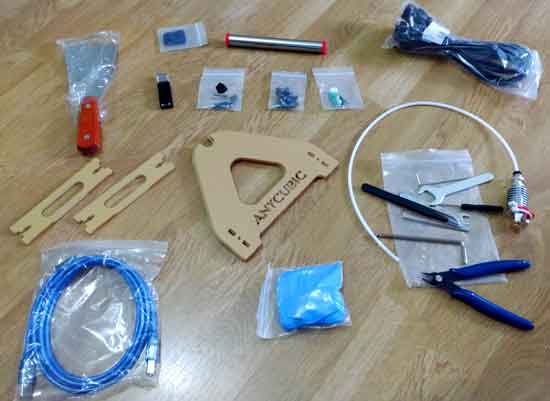
That is, a very complete set that includes everything we need to print, and even some extra items. Perfect.
The simplicity of assembly is one of the strong points of the Anycubic i3 Mega. If it’s the first time we assemble it, we’ll want to look carefully, read the manual, and it will take us 10-15 minutes to assemble. But seriously, it’s 8 screws and 3 cables, nothing more. If we were to assemble it a second time, we would do it in 5 minutes, and we would have some time left over.
First Tests
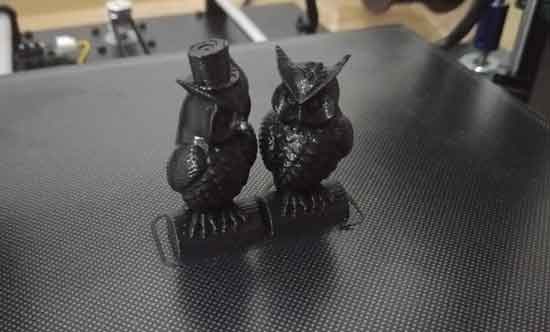
The SD card that comes with the Anycubic i3 Mega comes with a file so we can test the printer. It’s a model with two owls, a model very used in printer testing. This is the result, and as you can see, for a first print, the quality is very good.
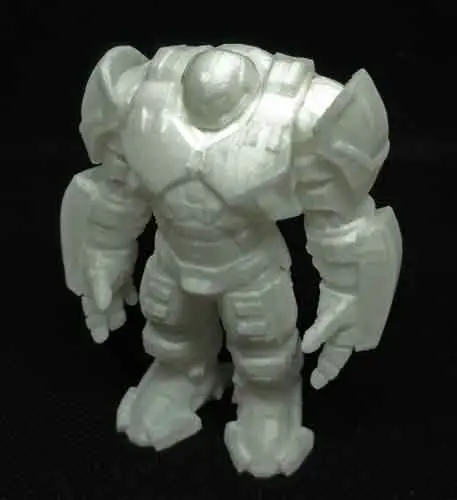
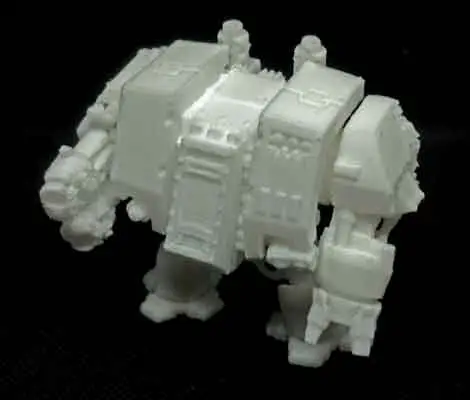
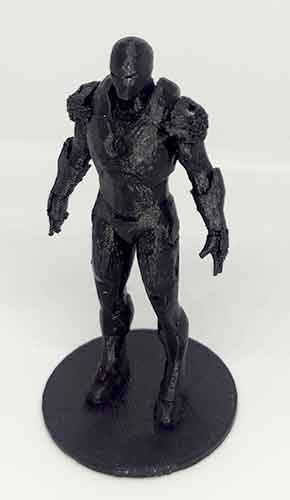
Here are some more examples of things I printed with the Anycubic i3 Mega in the first few days. Note that this is the printer without any updates or improvements, this is how the Anycubic i3 Mega prints “out of the box.”
Here we have an Ironman Hulkbuster, layer height 0.10mm.
A Dreadnought from Warhammer 40k, layer height 0.10mm, printed in several parts.
A small Ironman figure with adaptive layer height.
A baby Groot from Guardians of the Galaxy, layer height 0.2mm (printed in two colors because I ran out of brown

And a case, layer height 0.2mm, to improve the ventilation of the printer itself (logically, the fan is real, not printed).
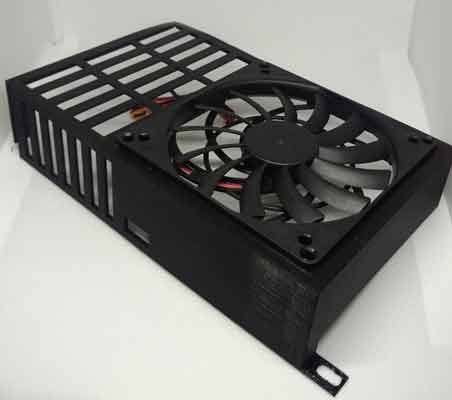
Not bad at all! In fact, it’s an impressive result for a printer in this range.
Conclusions
I am very happy with the purchase of the Anycubic i3 Mega and surprised because it has exceeded my expectations in every aspect. The assembly is very simple, I like the aesthetics, the use is very comfortable, and the Ultrabase is a real success. It is exactly what I was looking for in terms of “plug and print” and quite a bit more.
In terms of quality, this printer is outstanding from the first moment. With the parameters correctly adjusted, the Anycubic i3 Mega prints as well as or even better than many “professional” printers I have seen, which cost several thousand euros.
As a negative, the biggest disadvantage I have found is the noise of the fans. Perhaps for many this is not a big problem, but for me it was. Fortunately, it is easy to fix, and we will see that in a future post. Right now, it is practically completely silent.
In summary, for me these are the strengths and weaknesses of the Anycubic i3 Mega:
Advantages
- Outstanding print quality
- Very easy to assemble and use
- Touch screen, possibility to print from USB or SD
- Very good adhesion thanks to the Anycubic Ultrabase
Disadvantages
- Print volume is correct, but could be better
- The fans are somewhat noisy (easy to upgrade)
If you are the type who likes to “tune” and get the most out of your 3D printer, the Anycubic i3 Mega is compatible with most standard components available. Furthermore, as it is a model that has gained some popularity, many user upgrades are appearing.
With a few upgrades (which we will also see in future posts), the Anycubic i3 Mega goes from being a notable printer to absolutely beastly. A level of detail that really leaves you speechless, very good print speeds, and in complete silence. A marvel!
In general, for me, at this moment, it is the best domestic printer we can buy. It is suitable both for those who want to get started and for those looking to change their printer and move to a higher quality one. For less than 300€, it is unbeatable in terms of quality/price.
In future posts, we will see many more things about 3D printing, including some more tutorials about the Anycubic i3 Mega (logically, because it is the printer I currently have), but which you can take advantage of even if you have another printer. So see you soon, and let’s get printing!