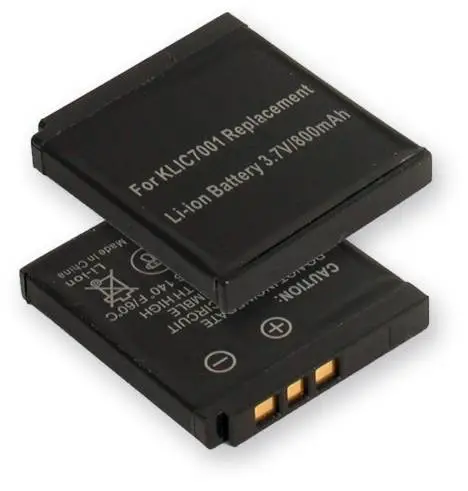
The modern Lithium Ion batteries in our laptops, tablets, and phones are Lithium-Ion and have a different internal chemistry than traditional Nickel-Cadmium, Nickel-Metal batteries. They also require an internal circuit (inside the battery) to control the charging process. Often, due to lack of knowledge, we continue to apply the same “rules” for Lithium-Ion batteries as we did for the old batteries. A mistake that can be very costly in terms of the performance and lifespan of our batteries.
We have all had doubts about how to correctly use the Lithium-Ion batteries in our laptops, phones, etc. Below is a compilation of the most common questions we usually ask ourselves:
1. Before using my device for the first time, should I charge it for 10 to 12 hours?
NO. Lithium-Ion batteries are much more efficient than Nickel-based ones, so they do not require an initial prolonged charge. In fact, no current Li-Ion battery requires charges longer than 8 hours, regardless of circumstances.
2. Should the battery go through several charge/discharge cycles before reaching its maximum performance?
NO. Lithium-Ion batteries do not require a “break-in” period because their maximum capacity is available from the first use. It makes no difference to a Li-Ion battery whether a charge is number 1, 5, or 50.
3. Should I completely drain the battery before recharging it to improve its performance?
Absolutely NO. This is one of the most common confusions inherited from the ‘memory effect’ suffered by Nickel-Cadmium batteries and, to a lesser extent, Nickel-Metal ones.
The composition of Lithium-Ion batteries makes partial discharges preferable to a complete one. Worse yet, if it is frequently subjected to total power loss, its circuits can assume a fault that will trigger a blocking mechanism. 80% to 90% of batteries considered ‘defective’ arrive at technical services for this reason.
But there is an exception: Batteries in large devices – like notebooks – equipped with measurement gauges can become uncalibrated with use and provide incorrect readings. Therefore, it is advisable to completely drain them once every 30 cycles, so that their levels return to zero.
4. Is it harmful to keep the battery connected to the charger if it has already completed charging?
NO. Contrary to Nickel-based batteries – whose prolonged stay in the charger can damage them and even cause a fire – Lithium-Ion batteries have a circuit that cuts off the power flow once charging is complete. Usually, this is indicated by a light on the device.
That said, there is always the possibility of a failure or overload in the transformer, so it should not be left permanently connected to the electrical grid either.
5. Is it harmful for a notebook’s battery to always work connected to power?
IT IS VERY HARMFUL, it is the most damaging scenario in which a battery can operate in a laptop, due to two lethal factors: heat and stress.
Warning: Heat acts by decreasing the battery’s resistance, so its ability to retain electricity will become less and less. In fact, a Lithium-Ion battery should never work at temperatures above 60ºC (a range that approaches the 40ºC to 50ºC of some notebooks). In turn, keeping the computer connected to power while in use generates constant ‘stress’ for it, because it forces it to maintain a 100% charge.
The damage is such that a battery whose charge is kept at 100% at 60ºC, after three months will retain only 60% of its total capacity, reducing its useful life to a mere 12 months.
What to do to avoid it? If you use the notebook as a replacement for a desktop computer, the most advisable thing is to remove the battery. But, since removing it leaves its compartment open, it is not recommended if the room where you work is too exposed to humidity or dust.
6. In the case of my mp3 or mobile phone, does it matter if I charge it using the transformer or the USB cable?
Using the charger should be preferred as it always provides the correct amperage. The USB port on most computers – especially notebooks – will not always maintain the required 500mA, so it can take up to three times longer to complete the charge.
7. I am not going to use my device for a few months, how should I store the battery?
According to studies conducted by BatteryUniversity, every Lithium-Ion battery withstands the passage of time better with a 40% charge. For example, a battery stored at room temperature with a 40% charge will maintain 96% of its total capacity after one year; while one stored with a 100% charge will retain only 80% in the same period.
This is why most devices come from the factory with a small initial charge: exactly 40%. What is clear is that a Lithium-Ion battery should NEVER be stored discharged. It can cause irreparable damage.
8. How long does a Li-Ion battery last?
If we talk about its lifespan, new improvements are constantly being introduced in the technology, so, if well cared for, they can last between 500 to 1000 charge/discharge cycles, which translates into an average of two to three years (after which chemical wear occurs).