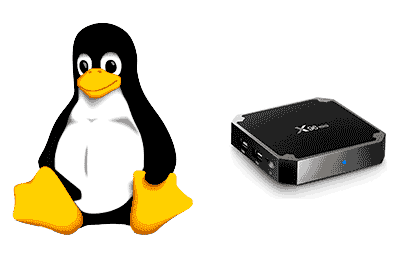
Today we are going to see how to install Linux, specifically an Armbian distribution, on a low-cost Android TV player, as a cheap alternative to Linux mini-computers like the Raspberry Pi.
Given the price increase and shortage we are experiencing with Raspberry Pis, it is becoming increasingly common to ask about more economical alternatives. Among these possible alternatives, one that stands out is using an Android TV Box.
Using an Android TV Player as a replacement for a Linux mini-computer offers much lower prices because they are consumer goods. Therefore, they are manufactured in large batches, which allows them to maintain a reasonable price even if, for example, processor costs or demand have increased.
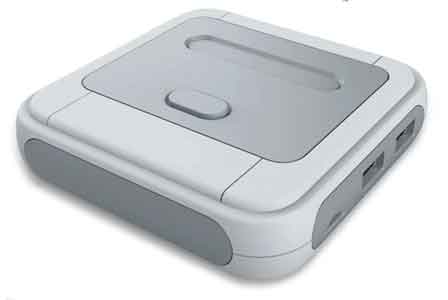
In fact, it’s not a crazy idea at all. For example, if you look for retro consoles, you will see that many have exactly the same hardware as an Android TV Player. They have simply added an additional hardware layer and installed a distribution like Retropie, EmuELEC, or similar.
Well, on some of these Android TV Players, you can install the Linux distribution called Armbian. You can find the project’s website at https://www.armbian.com/.
Armbian is a lightweight Linux distribution based on Debian and adapted for ARM processors. You may have encountered Armbian, for example, if you have worked with alternatives to Raspberry Pi like Banana Pi or Orange Pi, because it is precisely the OS they recommend.
Furthermore, it should be noted that with most ROMs we will not lose the Android distribution. After installing Armbian, we will have a dual-boot Linux Android system, which is a great advantage compared to, for example, Raspberry Pi. Simply, if we have the SD card with the ROM inserted during boot, we will boot into the Linux system, and into Android if we boot without the SD card.
Regarding the TV Player model to choose, of course, we must choose one that is compatible and has a developed ROM. To check this, it is best to check the Armbian forum, which has a specific section for TV Boxes at this link.
However, like any specialized technical forum, entering the Armbian Forum can be a bit overwhelming at first due to the large amount of information available. There are many entries, many ROMs, sometimes contradictory information, and it is difficult to get up to speed.
Additionally, it must be taken into account that there is a great variety of TV Players and the denominations used by all sellers are not always homogeneous (not to say that some are directly incorrect). Therefore, what we should look at are the hardware details. In particular, we should look at the model of the processor or chipset it uses.
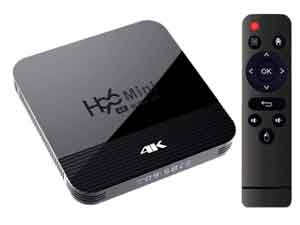
At the time of writing this entry, the three main TV Player processors that interest us are the Amlogic S905X, Rockchip RK3328, and Allwinner H6, all ARM Cortex A53 quad-core and 64-bit. For these processors, at least, there are versions of Armbian running with greater or lesser compatibility.
Example X96 Mini S905W
Next, we are going to see an example of how to install Armbian on an Android TV Player X96 Mini, with an S905W CPU, because it is the model I have. This is a very popular and cheap model that we can find for 25-30€. However, the procedure is more or less similar for other types of TV Players. 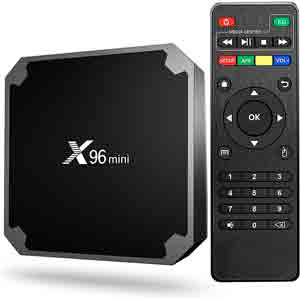
The technical characteristics of the X96 mini are as follows.
- CPU: Amlogic S905W, Quad-Core, Cortex-A53
- ROM: eMMC 16GB
- SDRAM: DDR3 1/2/4 GB
- GPU: Penta-Core Mali-450
- HD video output: SD/HD max. 1920 x 1080 pixels
- Ethernet: standard 10/100M, Gigabit RJ-45
- WiFi: 2.4 G
- Operating system: Android 11.0
Next, we will see how to install the Armbian distribution on our X96 Mini TV Player. There are two good tutorials on the subject this link and this link
At the end of the entry, I leave you a compilation with more references to tutorials on installing Armbian on different models of TV Players.
Basically, in summary, first we download the image to install from the Armbian forum. For example, I have had good results with this ROM.
Next, we use Balena Etcher to install the ROM on an SD card. We already saw how to use Balena Etcher in this entry about Raspberry Pi. So, if you have any doubts about its use, I recommend you read our entry.
Once the ROM is written to the SD card, we will need to access it and make certain configuration modifications before inserting it into our TV Player. We connect it with a card reader and perform the following steps.
First, we copy the file ‘meson-gxl-s905w-p281.dtb’ from the /dtb/amlogic/ folder to the root folder of the Micro SD, and rename it as ‘dtb.img’
On the other hand, we edit the uEnv.txt file in the root of the Micro SD to adapt it to our hardware. Specifically, we uncomment the line corresponding to our hardware ‘meson-gxl-s905w-p281’, leaving it as follows:
## aml s9xxx

#FDT /dtb/amlogic/meson-g12a-x96-max-no-cvbs.dtb

#FDT /dtb/amlogic/meson-g12b-ugoos-am6-no-cvbs.dtb

#FDT /dtb/amlogic/meson-g12b-odroid-n2.dtb
FDT /dtb/amlogic/meson-gxl-s905w-p281.dtb
APPEND=root=LABEL=ROOTFS rootflags=data=writeback rw console=ttyAML0,115200n8 console=tty0 no_console_suspend consoleblank=0 fsck.fix=yes fsck.repair=yes net.ifnames=0
Finally, we insert the SD card into the TV Box. We restart it, holding down the RESET button, which in the case of the X96 is located inside the audio jack.
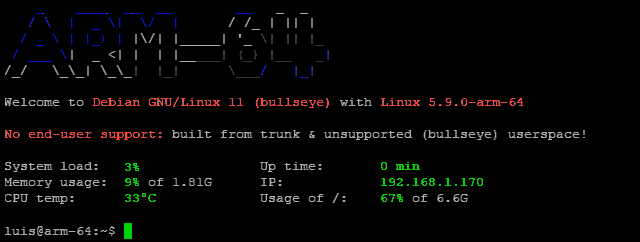
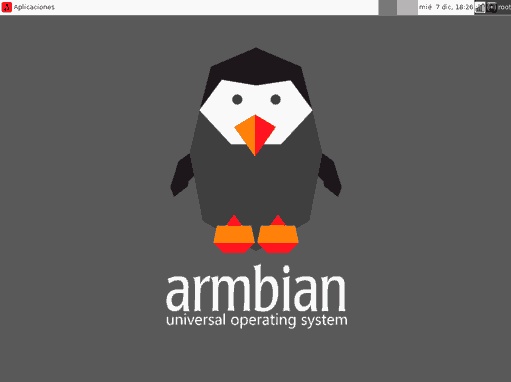
Now, we log in for the first time with a monitor, keyboard, and mouse connected. The default credentials are as follows:
User: root
Password: 1234
From there, we would proceed as with any other Linux computer, changing credentials, using SSH, VNC in LXDE/, or the rest of the tutorials as we have seen in the Raspberry Pi and Linux tutorials section
Conclusion
We have seen how to install the Linux distribution Armbian on an Android TV Player. This allows us to have a very low-cost alternative to Linux mini-computers like the Raspberry Pi, often having the same power (or even more).
To illustrate the process, we explained the details with an X96 Mini, which is the one I have (in fact, I have several, so I have tested it quite well). The X96 Mini is a very popular model for installing Armbian because the process is very simple, and the ROMs have achieved good compatibility.
The X96 Mini is not the only TV Player on which we can install Armbian, there are other compatible models as well. To do this, we must pay close attention to the technical specifications and, above all, the CPU/Chipset they use. With that, we must find a suitable ROM for our device, generally on the Armbian forum.
Regarding functionality and performance, in my tests, Armbian’s operation is more than correct. SSH, VNC, a web server, Python, NodeJs, even installing NET6 or making programs with Raylib. In general, everything I have tried has worked, sometimes even with performance superior to a Raspberry Pi 4.
I haven’t noticed too many stability problems either. Although, I wouldn’t trust it for a production application. For me, this is more of an experimentation and learning solution. But, well, I also wouldn’t trust putting an application on a Raspberry Pi (what, what did you say?.. yes, I wouldn’t trust an Rpi).
On the other hand, we must consider the advantage of having Android on the same device, and being able to switch between Linux and Android simply by removing the SD card before booting. Thus, you have two platforms to test developments on a single low-cost device.
However, using a TV Player with Armbian, it must be recognized that its use is not as simple as, for example, using a Raspberry Pi directly. We would be looking at a solution aimed at intermediate or advanced users with prior experience in Linux systems. It is not an appropriate environment to learn alone and from scratch.
Finally, keep in mind that most of these ROMs are maintained by a small number of people (sometimes even a single person). Therefore, it is very easy that at some point they will disappear, become obsolete, or stop working due to changes in software or hardware.
So if you can, and as much as possible, help these kinds of projects. Either directly by contributing code, or your ROMs, or simply by participating in the forums or sharing the projects. This way, you contribute to keeping these interesting projects alive.
References:
Here is a compilation of tutorials and entries of interest for other player models and/or processors. If at any point you find more, you can let me know to add them.
Amlogic S905w (Tanix TX3 Mini, X96Mini) https://i12bretro.github.io/tutorials/0316.html https://amirsafe.com/publicaciones/instalar-linux-en-tv-box-armbian/
Amlogic S912 (Nexbox A95x A2) https://i12bretro.github.io/tutorials/0185.html
Amlogic S912 (Tanix TX9s) https://i12bretro.github.io/tutorials/0094.html
Allwinner H6 (Tanix TX6) https://i12bretro.github.io/tutorials/0008.html
Rockchip RK3288 https://i12bretro.github.io/tutorials/0091.html