
Vuetify is a framework that combines the power of the popular VueJs with the aesthetics of Material Design. It accelerates the development of complex web applications by incorporating a large number of “ready-to-use” components.
Vuetify is based on the typical “grid” system for arranging the page layout. It features an extensive library of components ranging from simple form elements like buttons, comboboxes, inputs, sliders, to more advanced components typical in Android applications like “cards” or “snackbars”.
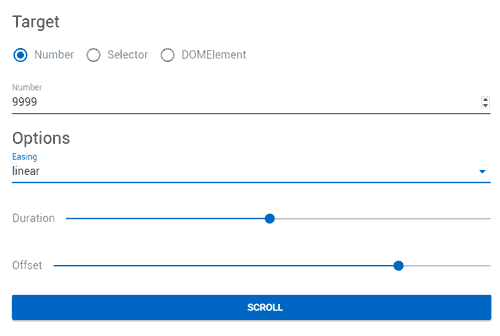
All of them can be configured with various options to completely change their aesthetics and behavior. Thus, we have functions for component ordering, text styles, colors, icons, shadows, dialogs, animations, or touch support, to name a few examples.
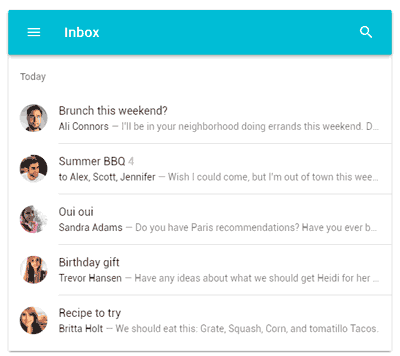
Vuetify is Open Source, available at https://vuetifyjs.com, and has the support of a large community and sponsors who actively work to incorporate new elements and improve existing ones.
Usage Example
Quick Start from CDN
For a quick start, we can simply add Vuetify from CDNs. This is especially suitable for very small projects, with special mention to IoT processors like the ESP8266.
For example, create an ‘index.html’ file with the following content.
<!DOCTYPE html>
<html>
<head>
  <link href='https://fonts.googleapis.com/css?family=Roboto:300,400,500,700|Material+Icons' rel="stylesheet">
  <link href="https://cdn.jsdelivr.net/npm/vuetify/dist/vuetify.min.css" rel="stylesheet">
  <meta name="viewport" content="width=device-width, initial-scale=1, maximum-scale=1, user-scalable=no, minimal-ui">
</head>
<body>
  <div id="app">
    <v-app>
      <v-toolbar app>
        <v-toolbar-title>My Application</v-toolbar-title>
      </v-toolbar>
      <v-navigation-drawer app></v-navigation-drawer>
      <v-content>
        <v-container fluid>
          Hello World
        </v-container>
      </v-content>
      <v-footer></v-footer>
    </v-app>
  </div>

  <script src="https://cdn.jsdelivr.net/npm/vue/dist/vue.js"></script>
  <script src="https://cdn.jsdelivr.net/npm/vuetify/dist/vuetify.js"></script>
  <script>
    new Vue({
      el: '#app'
    })
  </script>
</body>
</html>
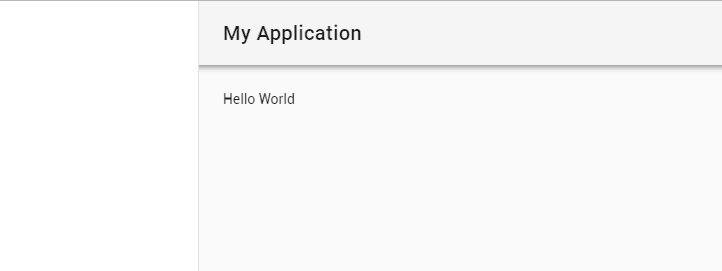
If we run the file, we will see our basic “hello world” application.
Creation from VueJs CLI UI
The usual way to work with Vuetify projects is from the VueJs CLI UI, which we saw in this post.
To do this, we create a VueJs project and add the Vuetify component.

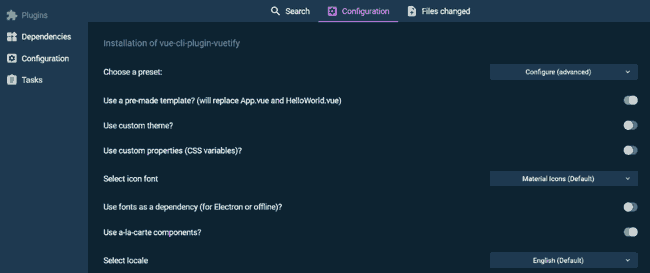
Next, we configure our project options.
Upon completion, we will have a project with the basic structure to start programming.
Conclusion
Vuetify is one of the most powerful frameworks currently available for web development. Combined with VueJS CLI UI, we have all the means to start programming truly powerful web applications easily.
It should be noted that Vuetify is a huge framework, with hundreds of components and options, and it takes quite a bit of effort to master it. This is logical, but it’s all work we avoid having to develop ourselves.
In any case, a very interesting framework that is well worth taking a look at.
