

Console applications play a fundamental role in the world of programming. They are programs that run in a command-line interface or terminal of a computer, making them different from applications with graphical user interfaces (GUI).
In a console application, interaction with the user is done through text commands. These applications stand out for their simplicity and efficiency, as they do not require additional resources to display visual elements.
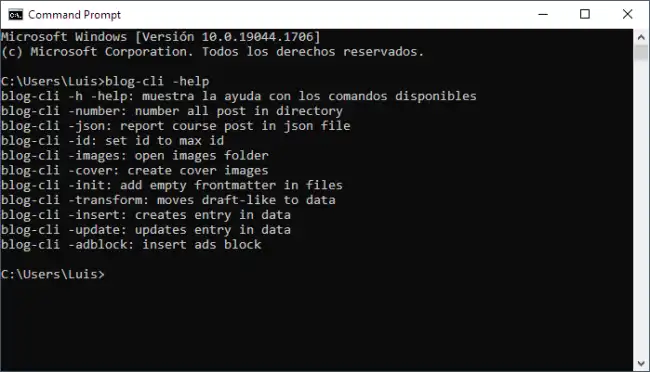
Unlike GUI applications, console applications rely on text input and output to receive and display information. This means the user must enter specific commands and receive responses in text form.
While they may seem less intuitive to users, console applications are widely used by programmers and system administrators due to their automation capabilities and flexibility.
In fact, if you are starting in the world of programming, it is very common to start by making console applications before moving on to GUI applications, which are generally more complex and require more prior knowledge.
How a Console Application Works
When a console application is executed, it starts a command-line interpreter or terminal, where instructions or messages are displayed to the user. The program waits for the user to enter specific commands, such as options, arguments, or actions to perform.

Once the commands are entered, the application processes them and produces a corresponding output. A console application can have different outputs to provide information to the user.
To function, the operating system provides, through the command-line interpreter, the following components.
User input allows the user to interact with the application by entering commands, options, or required data. For example, a console application for registering users might ask the user to enter their name and password.
This is the primary output of a console application and is used to display the desired results or messages to the user. Standard output is typically shown in the command line or terminal.
For example, if we were building a sum calculator application, the standard output would display the result of the operation.
Error output is used to display error or warning messages when unexpected situations occur during the application’s execution.
If there is any error in the program, such as an invalid operation or a non-existent file, the error output will show a corresponding message.
This allows the user to identify and fix problems in the code.
Depending on the system, there may be other outputs, such as standard auxiliary output (stdaux) or standard printer output (stdprn). They are less common in modern programming environments but can still be found in certain specific contexts where direct communication with peripheral devices is required in compatible operating systems.
