

Visual Studio is an integrated development environment (IDE) created by Microsoft. Visual Studio is a widely used comprehensive development environment and is the main IDE for developing applications on the Windows operating system.
Furthermore, Visual Studio is the primary tool for developing .NET applications, both desktop and web. Generally, the preferred language is C#.
However, Visual Studio also supports many other languages and file formats, including F#, Visual Basic, C++, Python, HTML + CSS, JavaScript, and TypeScript.
It should not be confused with Visual Studio Code, which is a lightweight code editor, also developed by Microsoft. More information in this post.
Visual Studio Editions
Visual Studio is available in different editions, each with specific features and functionalities.
The Community edition of Visual Studio is a free and complete version aimed at individual developers and small teams.
If you want to start with C# and .NET, you can install this version at home without any problem. It is completely free for personal and Open Source projects.
The Professional and Enterprise versions are paid versions that must be used in commercial projects and companies.
The Professional edition is designed for development teams and professional developers. It offers all the features of the Community edition, and some (few) additional functions.
The Enterprise edition of Visual Studio is the most complete and expensive version. It is aimed at large organizations and more complex projects.
Installing Visual Studio Community
The Community edition of Visual Studio is available for free for personal use. To install it, we go to the official Visual Studio website at https://visualstudio.microsoft.com/.
Here, we download the Community version. An installer will be downloaded, which we run.
The Visual Studio installation wizard will appear. Select the components you want to install and customize the options according to your preferences.
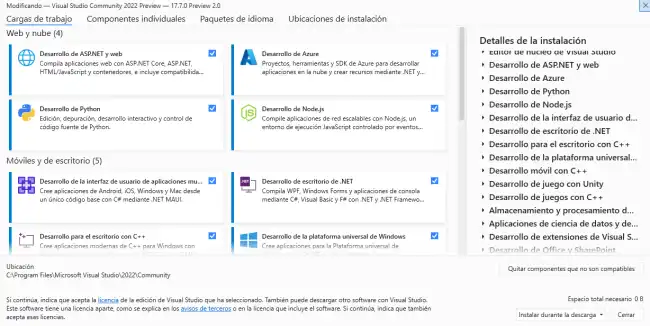
Click Install, and wait patiently for it to install. It may take a while, depending on the options we have chosen, so be patient. ⌛
Once the installation is complete, you can launch Visual Studio Community from the start menu or desktop.
Main Features of Visual Studio
Code Editing
Visual Studio is a very powerful IDE and, as such, incorporates a whole series of functionalities designed to make our lives easier when writing and editing code.
This includes syntax highlighting, intelligent auto-completion (IntelliSense), and error highlighting. As you type, Visual Studio offers contextual suggestions to automatically complete the code.
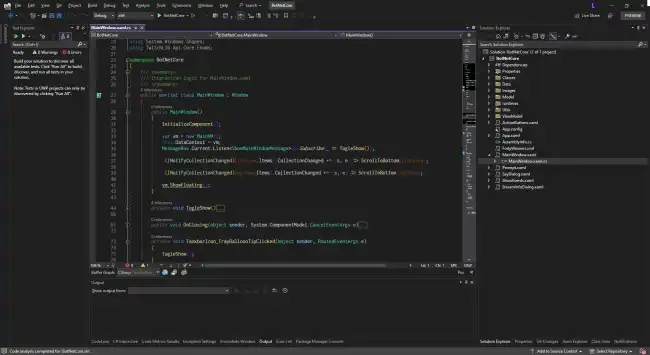
It also offers refactoring operations, which allow reorganizing and improving the structure of the code without changing its behavior. For example, it includes actions such as renaming variables, extracting methods, moving classes, among others.
Advanced Debugging
Visual Studio provides a powerful debugger that allows you to efficiently detect and fix errors in the code. It allows you to set breakpoints, inspect variables, follow the execution flow, and perform step-by-step testing to identify and correct problems in the code.
Extension and Package Management
Visual Studio supports a wide range of extensions and add-ons that can be installed to add new functionalities and support for different technologies and frameworks.
Furthermore, with extension management and NuGet packages, we can easily add additional functionality or our own or third-party libraries to our projects.
Automated Deployment and Testing
Visual Studio offers tools for automated application deployment and automated testing. It allows generating installation packages, publishing applications to cloud services, and performing unit and integration tests to ensure software quality.
Integration with Version Control Systems
Visual Studio integrates with version control systems, such as Git, allowing us to track changes, merge branches, resolve conflicts, and collaborate efficiently as a team.
